Creazy vs Hookable: How Do Cost per Page and Workflow Compare?
We compared AI detail page tools Creazy and Hookable tier by tier, from free sign-up credits to entry, mid, and top plans: cost per page, workflow, export, and shorts.

In a nutshell
- Creazy and Hookable are both AI tools that build detail pages from product information and photos, and let you edit them through chat and direct editing.
- If you start for free, Creazy lets you make and export 2 detail pages. Hookable lets you make 1, but you need a paid subscription to download it.
- Comparing paid plans tier by tier, Creazy has the higher monthly price, but you can make more pages at a lower cost per page.
If you look for an AI detail page tool, you will often see Creazy and Hookable side by side. Both create the planning, copy, and design from a product name and photos, and both let you edit through chat and direct editing, so the differences are hard to spot at first.
For someone using a tool every month, though, the differences show up in how far you can go for free, what a plan costs at your production volume, and when you first see a result.
This article was written by the Creazy team. It focuses on Creazy's strengths, but the numbers are based on each service's official information, and we also cover when Hookable is the better fit. Pricing and features were checked on November 2, 2026 and may change, so please check both Creazy pricing and the Hookable website before paying.
For a comparison that also includes Draph Art and Gabia AI Editor, see our 2026 AI detail page tool comparison.
1. Creazy and Hookable at a glance
| Item | Creazy | Hookable |
|---|---|---|
| Free allowance | Enough for 2 detail pages | Enough for 1 detail page (400 Hooken) |
| Exporting free results | Available | Paid subscription required |
| Usage per page | Usually 100–130 credits | About 250–500 Hooken |
| Annual billing discount | 24% | About 16–17% |
| Workflow | Straight to a design draft, or plan it yourself first (optional) | Review planning draft → generate design |
| Officially stated production time | 3 minutes | About 5 minutes |
| Chat editing (paid) | Unlimited, no credits deducted | Supported (Hooken usage not separately stated on the official page) |
| Figma export | All plans | From the Pro plan |
| GIF | All plans (uses credits) | From the Growth plan |
| Shorts | Available (beta) | Not mentioned on the official page |
| Leftover credits | Subscription credits don't roll over; add-on credits never expire | Roll over and accumulate during a subscription |
Production times are figures stated by each company and can vary by product and page structure. Hooken is Hookable's credit unit.
2. Starting for free
Both services give you credits to try for free when you sign up.
| Item | Creazy | Hookable |
|---|---|---|
| Sign-up benefit | Credits for making 2 detail pages | 400 Hooken (enough for 1 detail page) |
| Usage period | No trial period limit | 14 days on our test account |
| Planning draft | Your choice: straight to design, or plan it yourself | Free, with unlimited generations |
| Chat editing | 5 free chats per project | Hooken usage not stated |
| Exporting the finished page | Available | Paid subscription required |
Creazy's free benefits
With Creazy you can make 2 detail pages for free, with no limit on the trial period. Pages made with free credits can also be exported, so you can try two different products and receive the actual files before deciding.
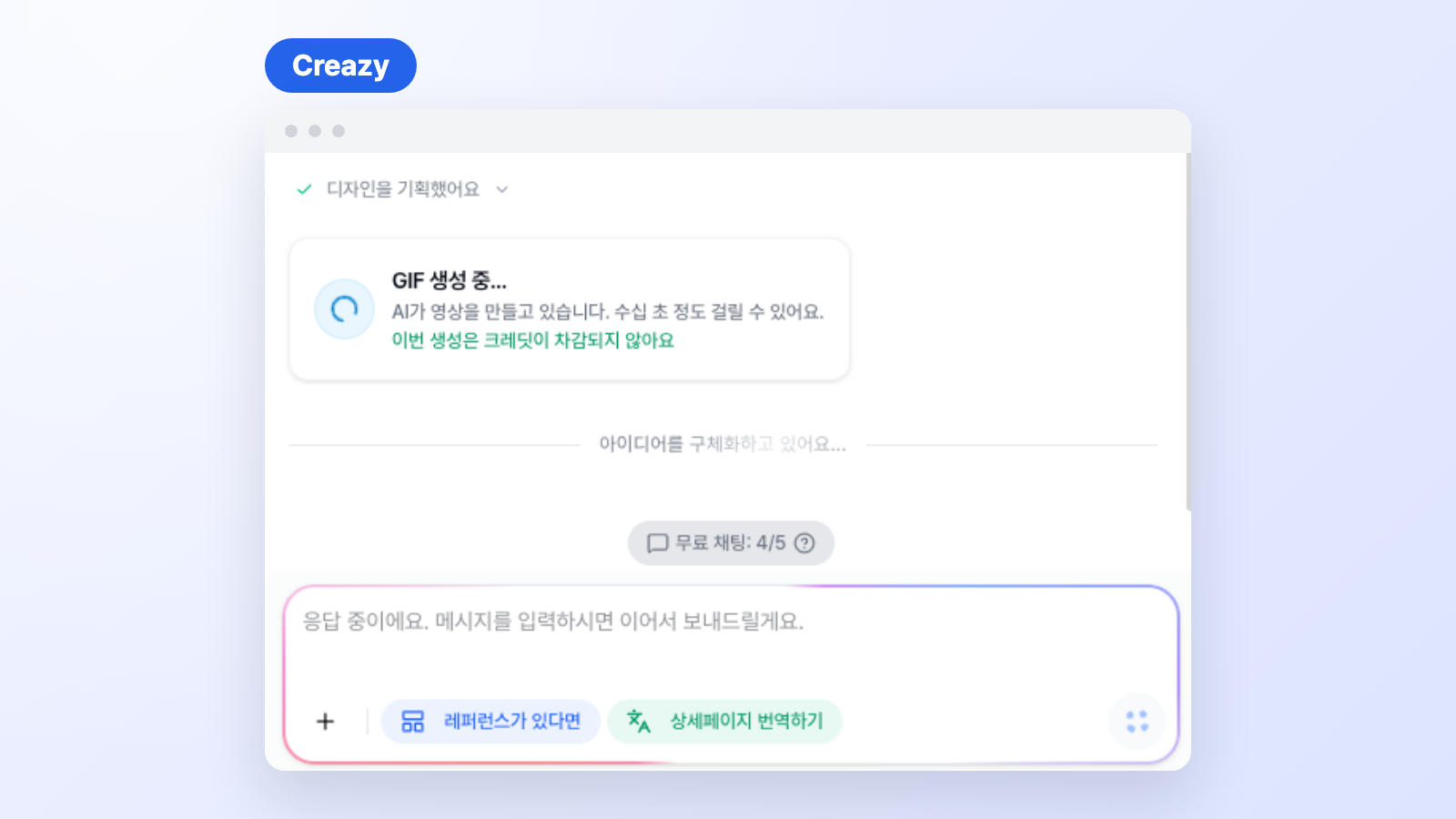
CreazyFree chat count and GIF generation
Hookable's free benefits
Hookable gives 400 Hooken with no card required and says this is enough to finish 1 detail page. On the test account we checked on November 2, 2026, the free Hooken showed a 14-day validity period, and downloading a finished page requires a paid subscription.
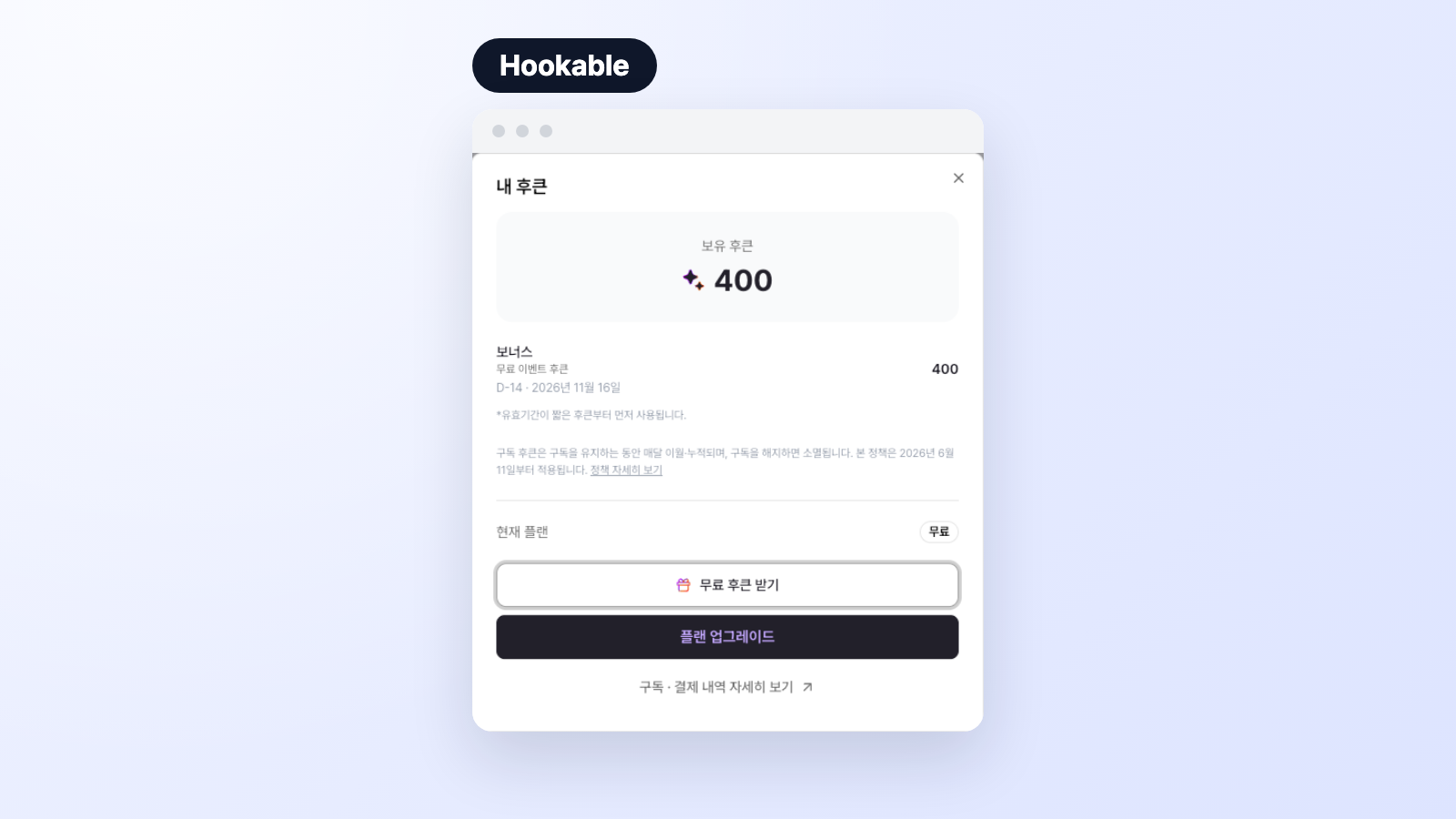
Hookable400 Hooken after sign-up and their validity period
3. Paid plans: comparing tier by tier
Both services have three plan tiers. We paired Basic with Starter at the entry level, Pro with Growth in the middle, and Max with Pro at the top. These are not plans at the same price, but plans in the same position in each lineup.
Cost per page is a simple calculation: the monthly price divided by the number of pages you can make. We assumed usually 100–130 credits per page for Creazy and about 250–500 Hooken for Hookable. Actual costs vary with the number of sections and your use of images, GIFs, and video.
Entry: Basic vs Starter
| Item | Creazy Basic | Hookable Starter |
|---|---|---|
| Monthly price | ₩33,000 | ₩29,000 |
| Monthly price on annual billing | ₩25,000 | ₩24,000 |
| Monthly allowance | 500 credits | 1,000 Hooken |
| Pages you can make | About 3.8–5 | 2–4 |
| Cost per page | About ₩6,600–8,580 | About ₩7,250–14,500 |
| Figma export | Included | Not included |
| GIF | Included (uses credits) | Not included |
Hookable costs ₩4,000 less per month. But Creazy Basic lets you make more pages, and Figma export and GIFs are included from the start.
Mid: Pro vs Growth
| Item | Creazy Pro | Hookable Growth |
|---|---|---|
| Monthly price | ₩99,000 | ₩69,000 |
| Monthly price on annual billing | ₩75,000 | ₩58,000 |
| Monthly allowance | 2,000 credits | 2,800 Hooken |
| Pages you can make | About 15.4–20 | About 5.6–11.2 |
| Cost per page | About ₩4,950–6,435 | About ₩6,161–12,321 |
| Figma export | Included | Not included |
| GIF | Included (uses credits) | Included |
Hookable costs ₩30,000 less per month, while Creazy lets you make more pages. Growth may be enough if you make around 5 pages a month. If you regularly make 12 or more, you will exceed Growth's base allowance, so compare Pro first.
Top: Max vs Pro
| Item | Creazy Max | Hookable Pro |
|---|---|---|
| Monthly price | ₩198,000 | ₩149,000 |
| Monthly price on annual billing | ₩150,000 | ₩125,000 |
| Monthly allowance | 5,000 credits | 6,500 Hooken |
| Pages you can make | About 38.5–50 | 13–26 |
| Cost per page | About ₩3,960–5,148 | About ₩5,731–11,462 |
| Figma export | Included | Included |
| GIF | Included (uses credits) | Included |
This is where the gap looks largest. The monthly price is ₩49,000 higher, but Creazy Max lets you make about 38.5–50 pages, more than the 26 that is Hookable Pro's maximum.
Buying more when you exceed your allowance
| Item | Creazy | Hookable |
|---|---|---|
| Add-on price | ₩8,000 for 100 credits | ₩12,500–18,000 for 500 Hooken (varies by plan) |
| Cost for one page | About ₩8,000–10,400 | About ₩6,250–18,000 |
Creazy add-on credits never expire. If your page count only rises in peak season, you can buy just what you need before moving up a plan.
4. Workflow: Creazy lets you choose whether to plan first
Creazy: straight to a design draft, or plan it yourself first
With Creazy, you enter a product name and photos, and AI fills in the product features. It reads the text in informational photos to pull out features, and adds them after anything you have already written instead of erasing it. Submit from there and AI sets up the structure and builds a design draft. If you would rather lay out the sections yourself first, choose the plan it yourself option on the brief screen. The planning step is optional.
CreazyFilling in product features with AI
CreazyFinishing a detail page while chat shows the progress
Hookable: review a planning draft, then generate the design
Hookable first creates a planning draft that lays out the page structure in text, and generates the design only after you review it and press the create button. So you see the actual design only after the planning draft step is finished.
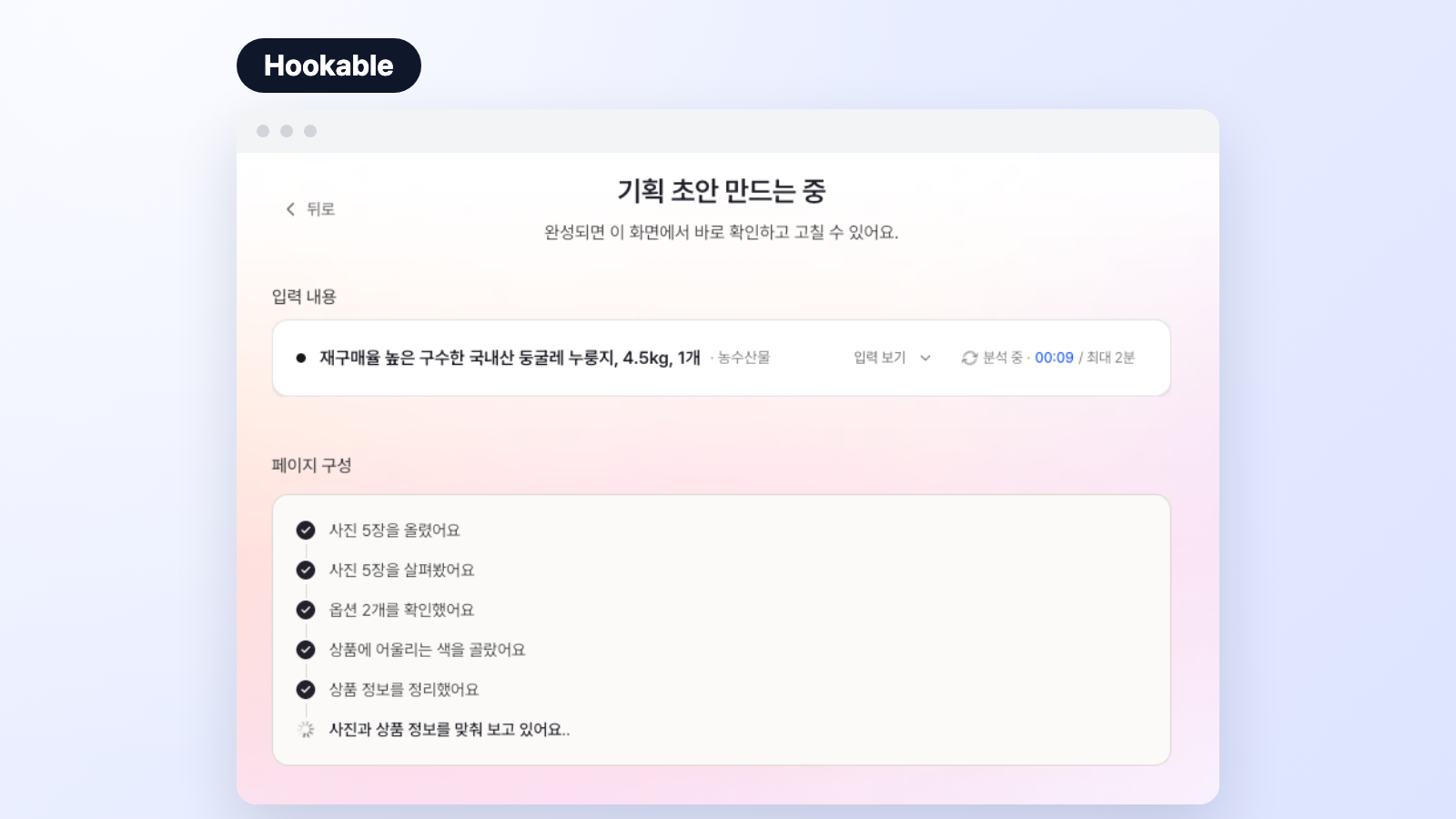
HookableCreating a planning draft
According to its official information, generating planning drafts doesn't use Hooken, which suits users who want to review the structure in text several times before the design.
Which one fits you better?
Hookable always goes through a planning draft review before the design, while on Creazy that step is there only when you want it. You can jump straight to a design for one product and carefully plan another yourself, so it adapts to how each seller works.
5. Editing: AI chat edits never use credits while subscribed
Both services support chat editing and direct editing. On Creazy's paid plans, AI chat edits, additions, and deletions are unlimited and deduct no credits, as stated in the pricing information. However many times you change copy tone or layout, your remaining credits stay the same. Credits are used only for starting a new project and generating new AI images or video.
CreazyTagging a section to change only its photo tone
Hookable also lets you select just the part to change through chat and restore earlier versions. However, the Hooken used for chat editing isn't separately listed in its official pricing information, so if you edit a lot, it's worth checking after signing up.
6. Export and add-ons: check whether you really need a higher plan
Figma and Photoshop: Hookable's Figma export starts from the Pro plan (₩149,000 per month). On Creazy, export is unlimited on every plan, and you can continue in Figma by loading a web-deployed URL with the free Figma plugin html.to.design. You can also get Photoshop (PSD) files with editable text, which is useful for teams finishing work with a designer.
CreazyClicking Export, then choosing a file type and a marketplace image width
Marketplace sizes: Both services list Naver Smart Store at 860px and Coupang at 780px. Creazy also lets you pick Gmarket, Ohouse, Domeggook, 11st, and SSG.COM, or enter any width yourself. Hookable lists Toss at 1,080px.
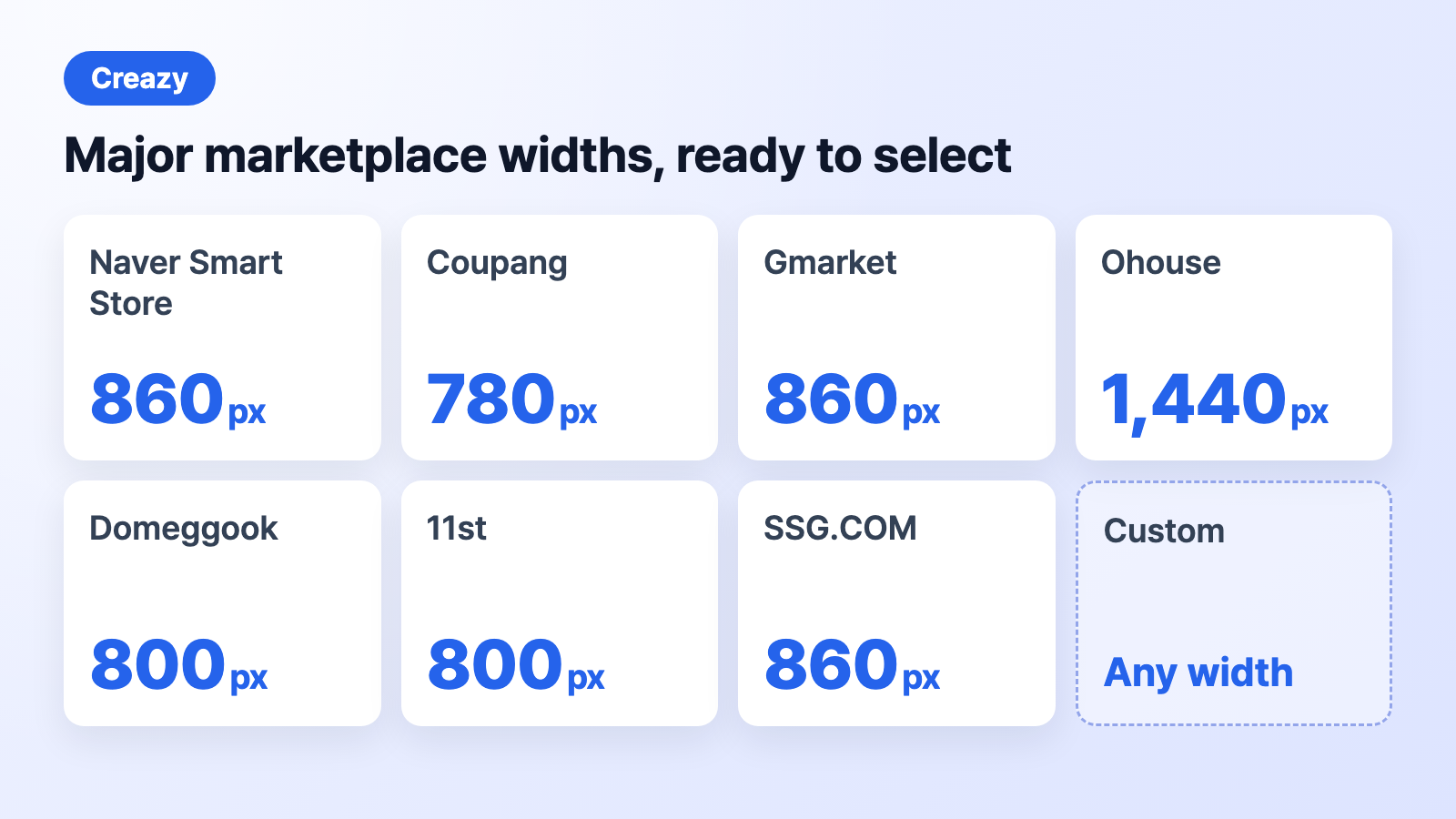
CreazyMajor marketplace widths you can select when exporting
GIF: Hookable offers GIFs from the Growth plan (₩69,000 per month). Creazy charges credits by length (30 for 4 seconds, 35 for 6 seconds, 40 for 8 seconds), so you make only what you need.
Shorts and thumbnails: On Creazy's home screen you can choose detail page, thumbnail, or shorts (beta) as tabs, and you can also start from an existing project. Thumbnails cost 5 credits each and shorts cost 3–7 credits per second. Hookable also offers thumbnails for each platform, but we couldn't find information about short-form or video creation on its official page.
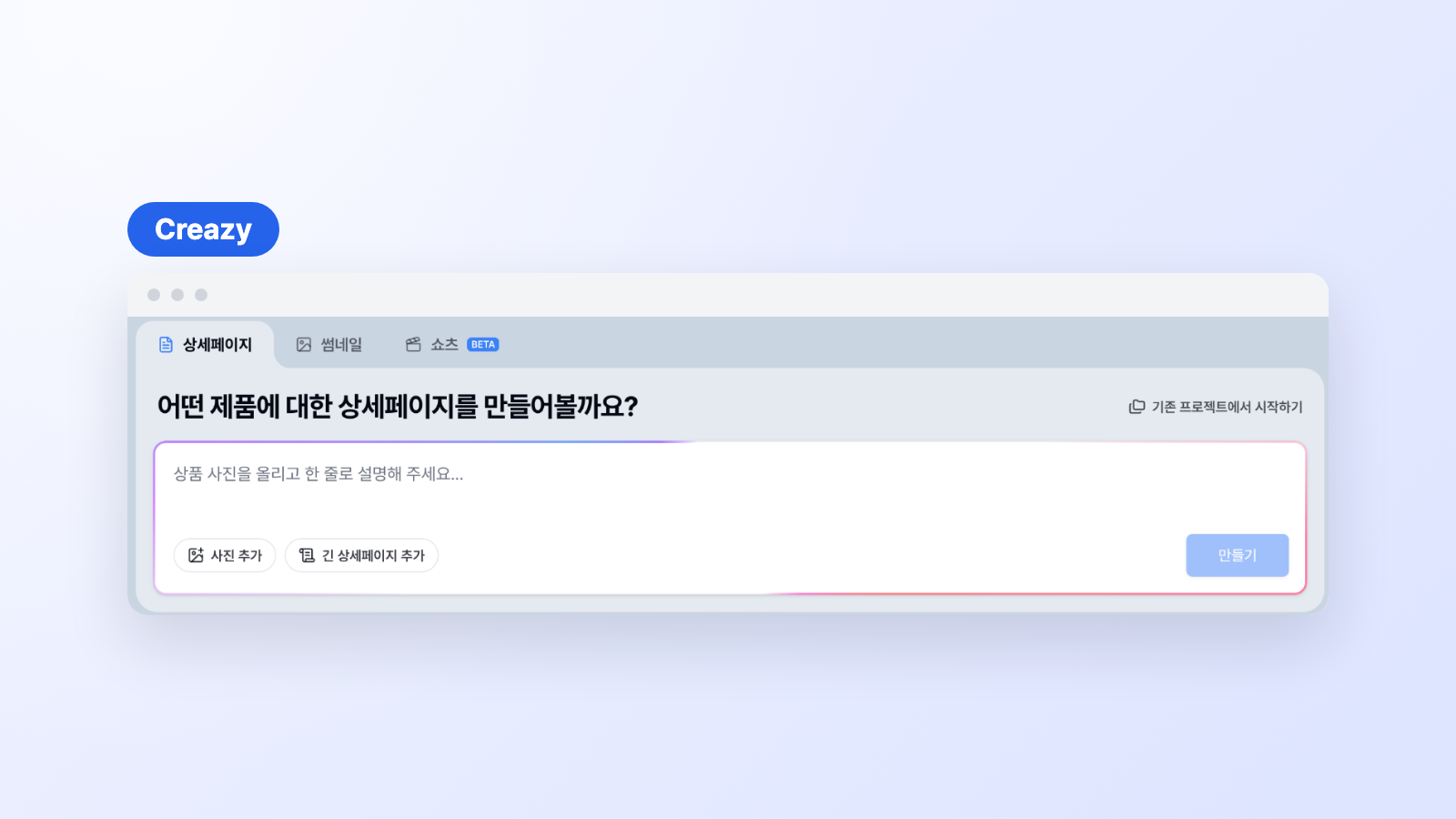
CreazyDetail page, thumbnail, and shorts tabs on the home screen
7. We recommend Creazy if you are a seller who
- Wants to make and export 2 detail pages for free before paying
- Lists products regularly on Naver Smart Store, Coupang, or your own store, so cost per page matters
- Wants to choose, product by product, between seeing a design right away and planning it yourself first
- Wants to edit many times through chat without worrying about credits while subscribed
- Wants to continue working in Figma or Photoshop files from the entry plan
- Wants to make shorts and thumbnails in one place after the detail page
8. When Hookable is the better fit
- You make only a few pages a month: its monthly price is lower at each tier.
- Your usage varies month to month: leftover Hooken roll over during a subscription.
- You want AI to rewrite the text plan several times: you can regenerate planning drafts without using Hooken.
9. Frequently Asked Questions
Which is cheaper, Creazy or Hookable?
At the same tier, Hookable has the lower monthly price and Creazy has the lower cost per page. Hookable is better if you make few pages a month, and Creazy if you make many. Actual costs vary with page structure and image usage.
Is there a free plan?
Creazy doesn't offer it as a separate plan. When you sign up, you get free credits for making 2 detail pages. There's no trial period limit, and pages made for free can also be exported. Hookable gives 400 Hooken on its free plan at sign-up, and downloading a finished page requires a paid subscription.
Can I use the pages right away on Naver Smart Store or Coupang?
Both services can export to Naver Smart Store and Coupang sizes. Whichever tool you use, we recommend that a person do a final check that the product information and wording are accurate before listing.
10. Wrapping up
If you make only a few pages a month, Hookable is also a good choice. But if you list products regularly and want a lower cost per page, a quick look at the design, and editing without worrying about the cost, Creazy is the better fit.
The most accurate comparison is making a page with your own product. Use the free credits you get at sign-up to make and export 2 detail pages first.