
This is the core step where you enter the actual content that will appear on your detail page.
You'll write down information you want to communicate to your customers, such as your product's features, benefits, and how to use it.
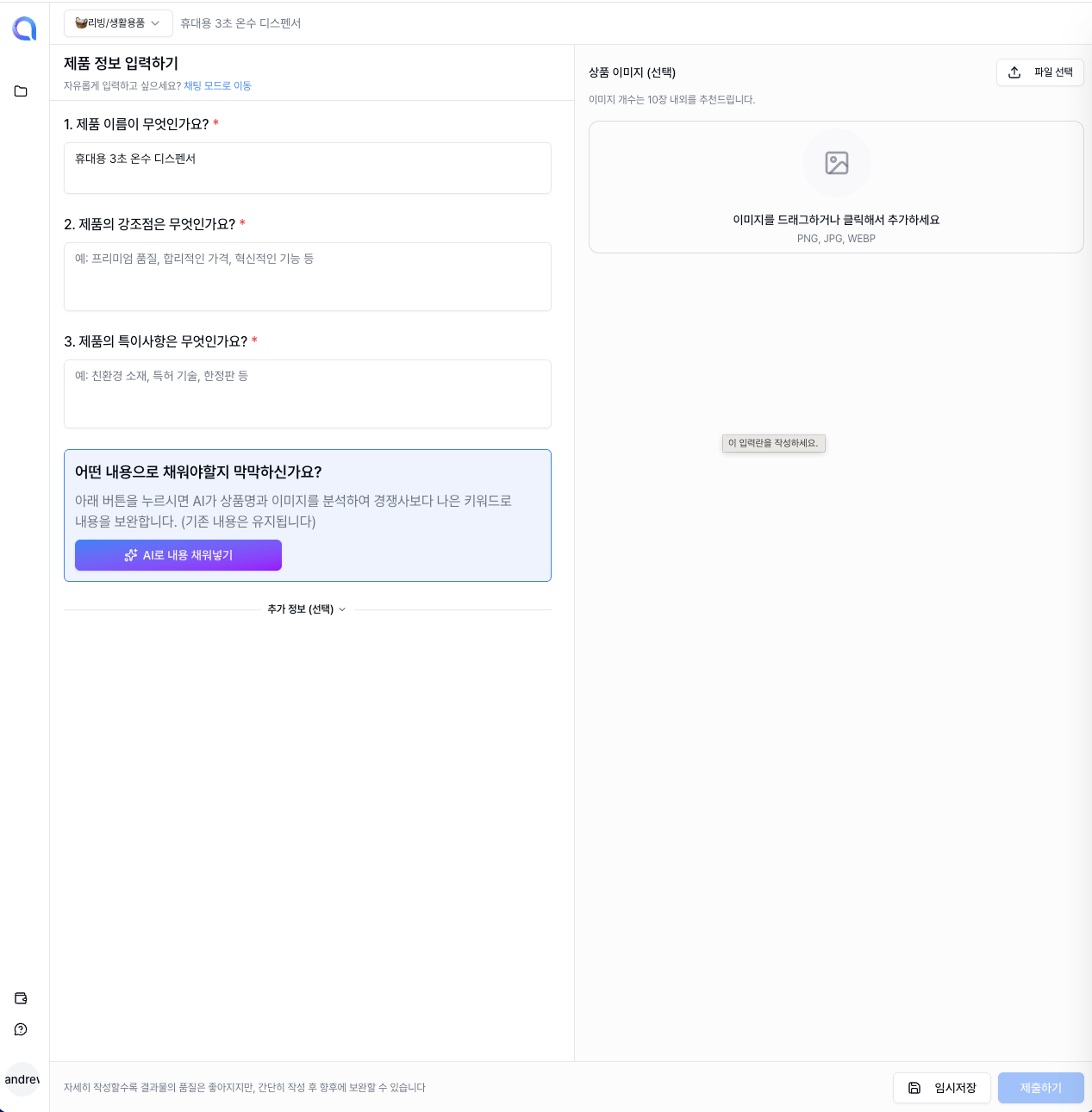
Just fill out each field as shown above.
You can type everything in yourself, or use the AI auto-write feature described below for a much more convenient experience.
Upload Photos
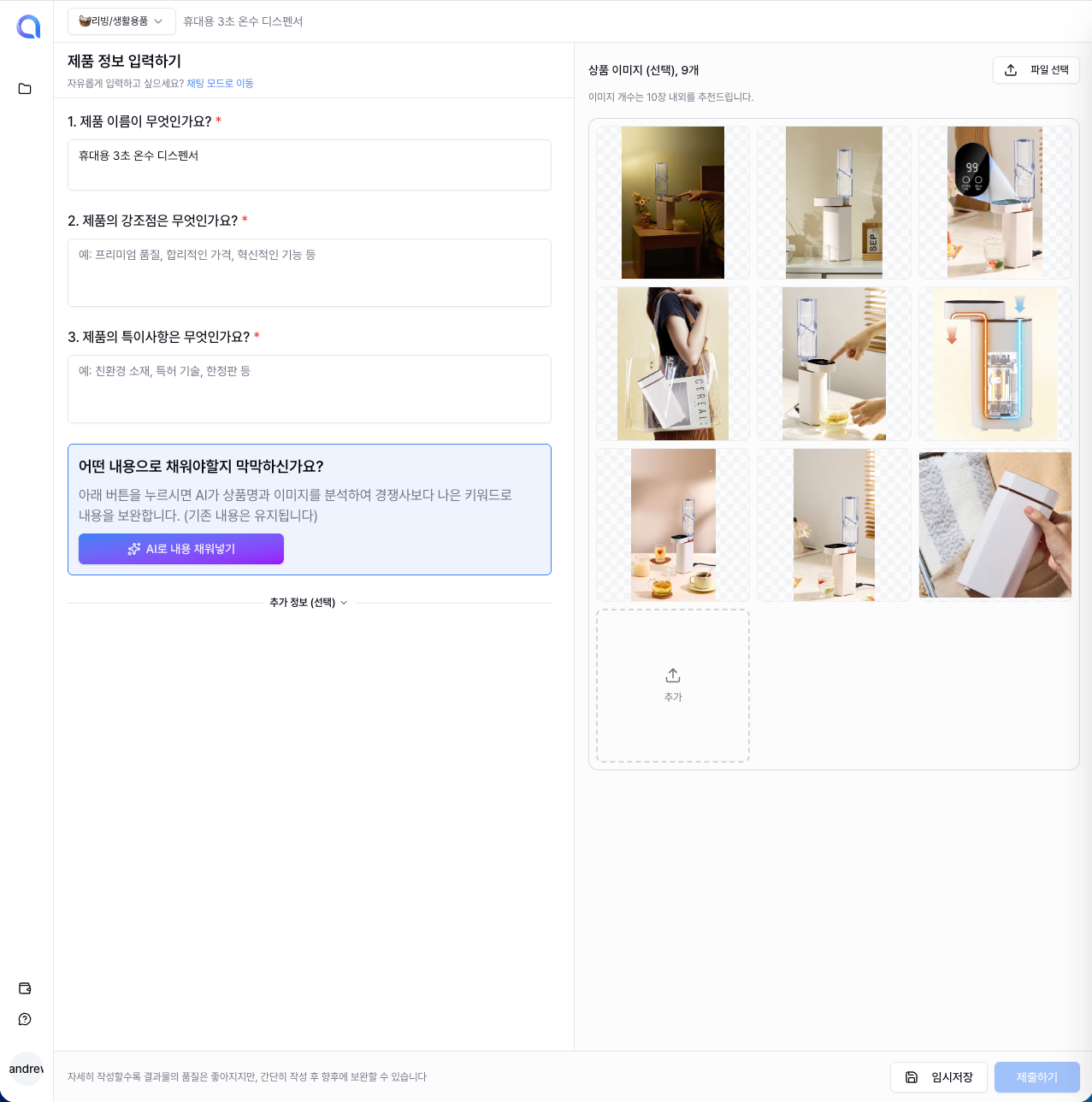
Upload your product photos.
It's no exaggeration to say that the quality of a detail page is decided by the photos!
The more photos you upload, the more diverse the compositions and layouts the AI can use, so we recommend uploading as many product photos as you have.
Photos from various angles—front, side, detail shots, and in-use scenes—are especially helpful.
Auto-fill Content with AI
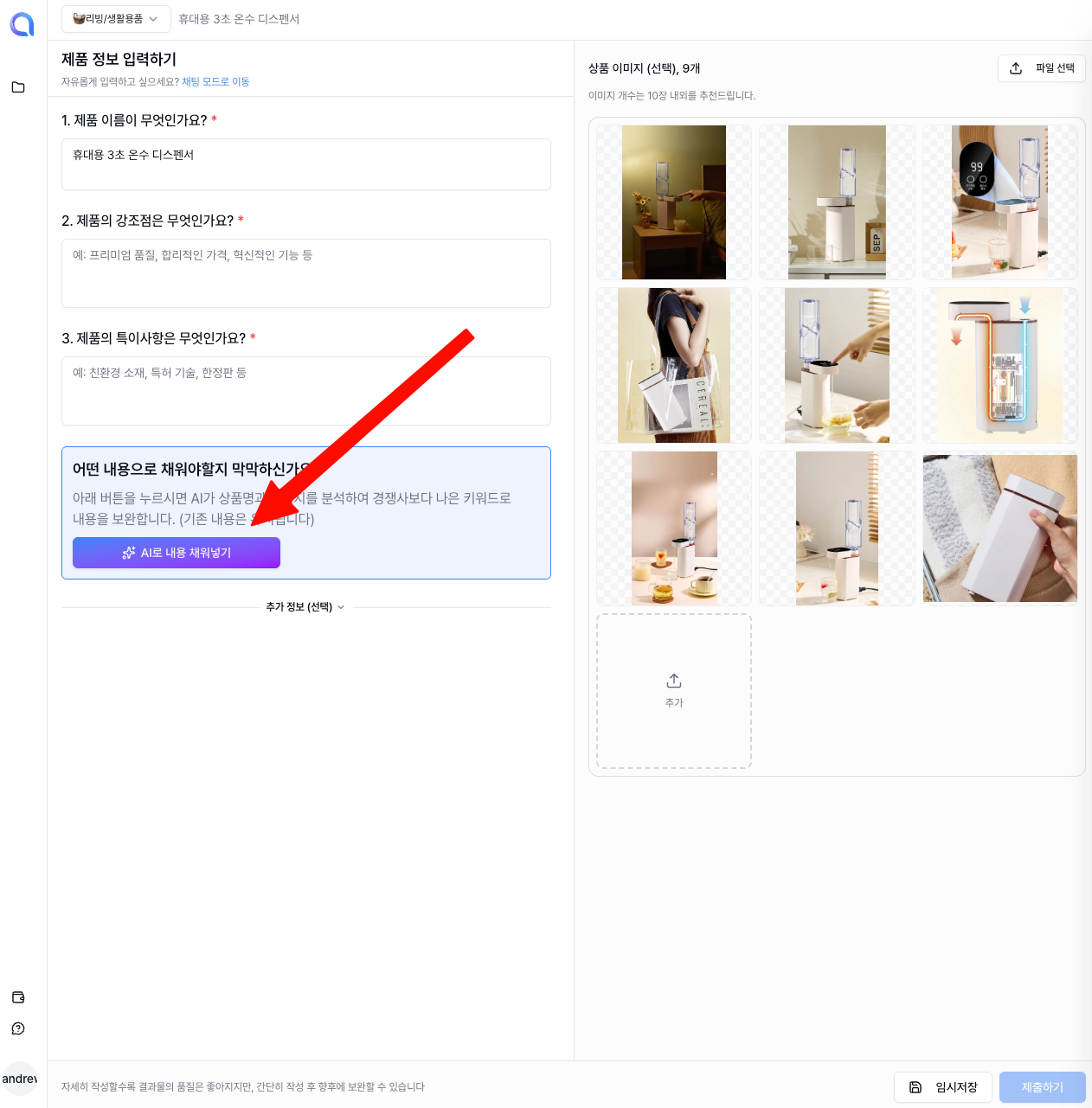
Finding it hard to write the brief yourself? Don't worry!
The AI will automatically write your detail page content for you.
Based on the product name, category, and uploaded photos you've already provided, the AI analyzes your product's features and selling points and auto-fills the brief.
You just review what the AI wrote and tweak the parts you don't love, which saves a huge amount of time.
Save Draft
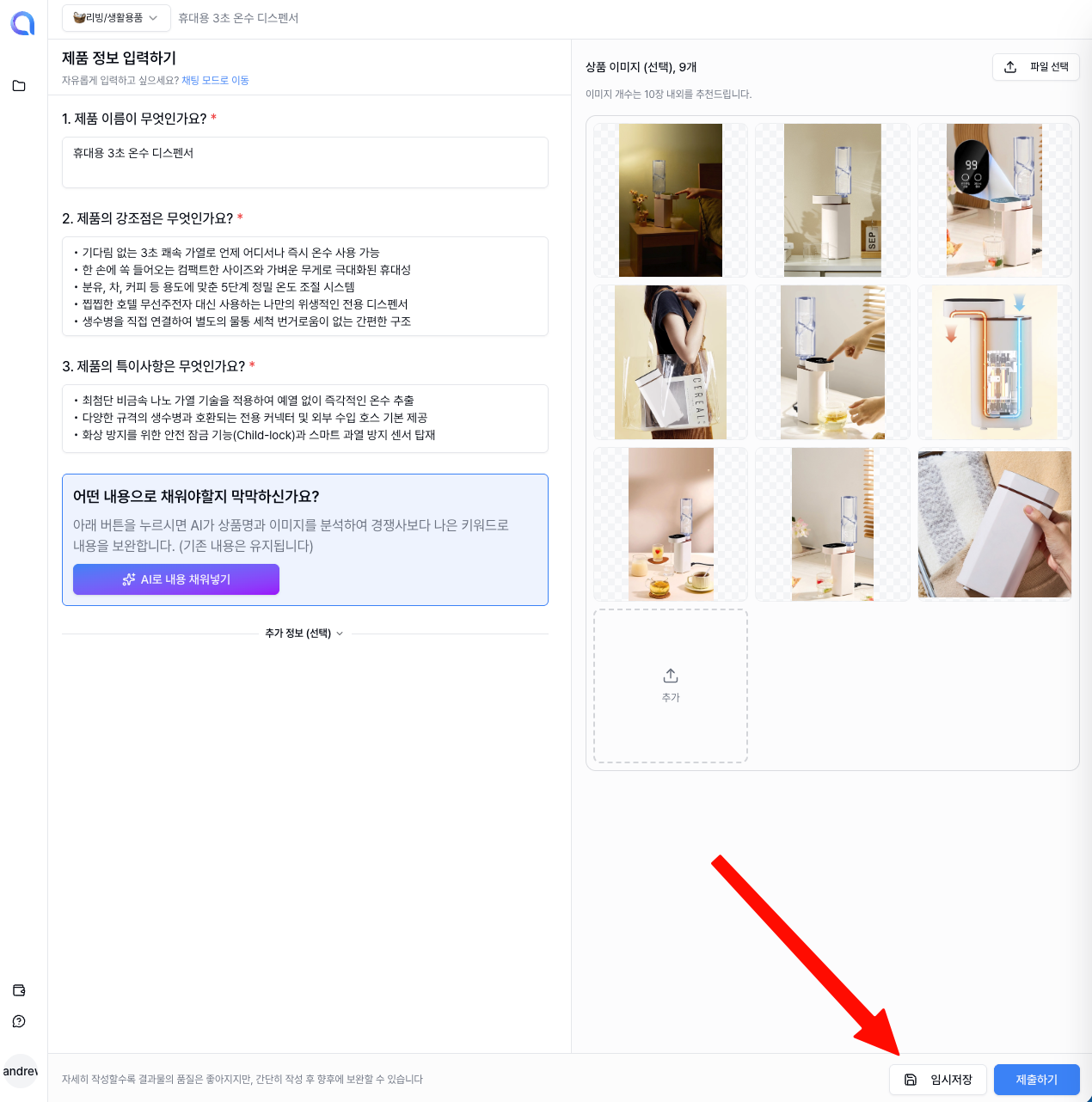
If you need to step away or want to come back to it later, click the Save Draft button.
Your work-in-progress will be saved as-is, so you can pick up right where you left off.
Submit
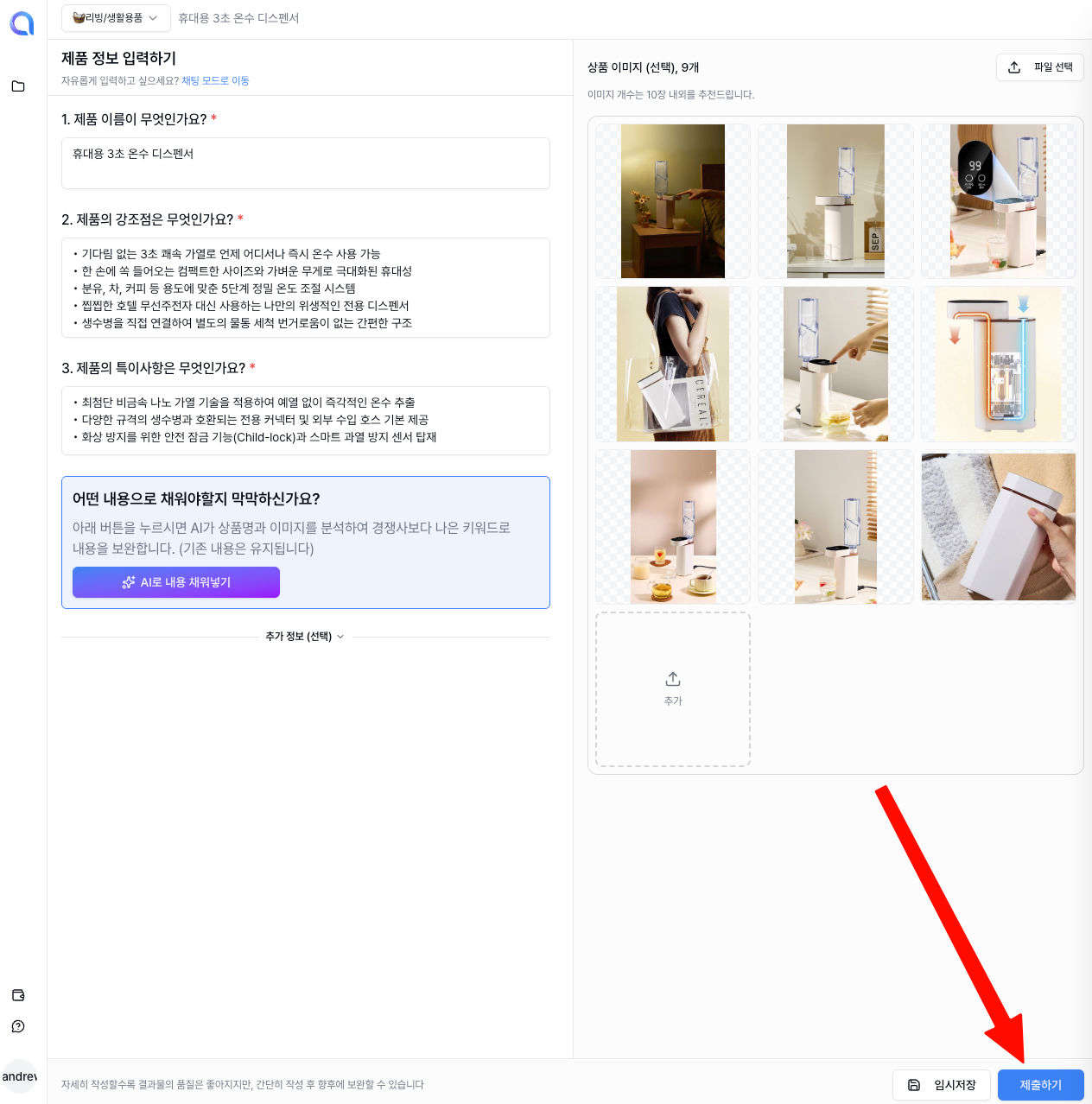
Once you've reviewed the brief, click the Submit button.
When you submit, the AI starts designing based on your brief.
It usually takes about 1–2 minutes, and you'll see the result the moment it's ready.
Detail Page Created
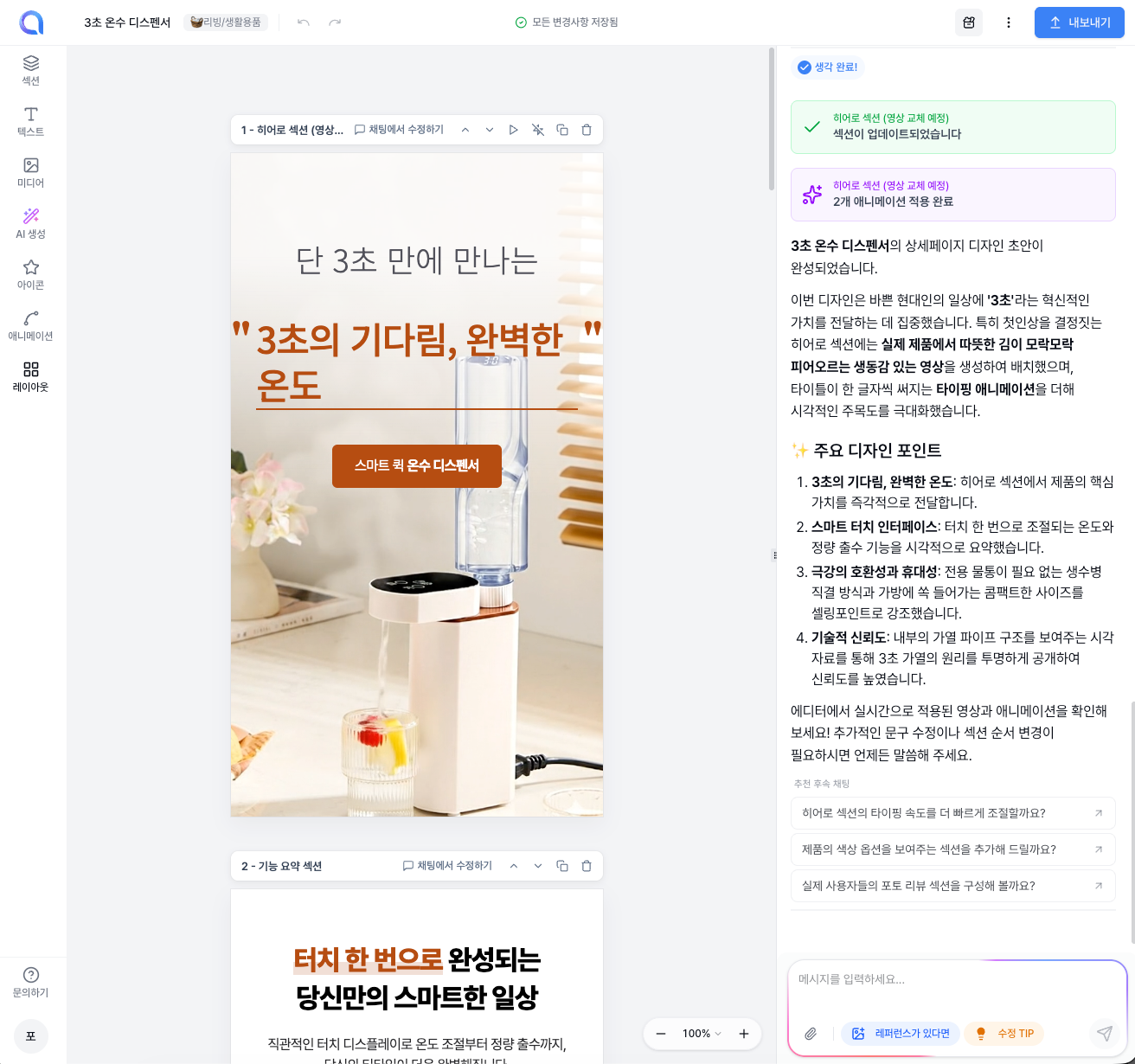
Congratulations! 🎉 Your product detail page is ready!
The AI has automatically completed a multi-section detail page for you.
You can use it as-is, or if you want to make it even better, you can edit it in the Studio.