2026 AI Product Detail Page Tools: Pros and Cons of 12
Compare 12 AI detail page tools across dedicated AI, design tools and general-purpose AI. Find the right fit through free benefits, pricing, planning, chat edits and file handoff.

Summary: Creazy is a good fit if you want to create planning and design drafts together from product photos, then continue through revisions and handoff. How you use these 12 tools depends on whether you want to refine templates yourself or start product planning with AI.
What this article covers
- We compare 12 tools in three groups: 4 dedicated detail page AI tools, 4 comprehensive design and AI editing tools, and 4 copy and general-purpose AI tools.
- Creazy creates the plan, copy and design together from photos and product information. While subscribed, AI chat edits, additions, deletions and exports use no credits. New AI media generation is separate.
- You can create and export 2 free detail pages. Basic supports images, PSD and a watermarked web URL; Pro and Max also support watermark-free web publishing, HTML and iframe.
Product photos may be ready, yet you can still get stuck deciding what to emphasize on the opening screen and in what order to explain the product. When choosing an AI detail page tool, look beyond the monthly fee to who does the planning, how you make changes after completion, and which files you can hand off.
Below, we examine 12 services using the same criteria. Dedicated AI tools create detail page drafts from product information, while comprehensive design tools offer a broad range of templates, editing environments and AI features. General-purpose AI can also create designs and web pages, but you need to give specific instructions for the product's explanation sequence and the marketplace submission format.
The Creazy team wrote this article based on each service's official information and rechecked prices on November 16, 2026. Prices and features may change; we distinguish monthly and annual billing. For a closer look at each stage of the work, see Comparing 7 AI Tools That Help You Create Product Detail Pages in 2026.
1. AI detail page tools fall into three groups
| Category | Main tasks | Tools |
|---|---|---|
| Dedicated detail page AI · 4 tools | Generate planning, copy and design drafts together from product photos and information | Creazy, Hookable, Draph Art, Geditor |
| Comprehensive design and AI editing tools · 4 tools | Create various designs in templates and editors, using AI generation and editing as needed | Canva, MiriCanvas, Mangoboard, Adobe Express |
| Copy and general-purpose AI · 4 tools | Analyze materials and write copy; generate images, designs, web pages and other outputs | Wrtn, ChatGPT, Claude, Gemini |
These categories reflect each service's main working environment. Mangoboard also creates AI detail pages and revises them through prompts, while ChatGPT and Claude also create web pages and designs. Rather than asking whether a service has AI, a more accurate comparison is how many steps you still have to connect yourself, from structuring your product's story to uploading it to a marketplace.
2. Start with pricing and free benefits for the 12 tools
| Tool | Paid plans and billing basis | What you can start with for free |
|---|---|---|
| Creazy | Basic KRW 33,000/month · 500 credits | Create and export 2 detail pages, 5 AI chats per project |
| Hookable | Starter KRW 29,000/month · 1,000 hooken | Try 1 page with 400 sign-up hooken; downloads require a subscription |
| Draph Art | Detail pages available on Pro Plus and Omni | Access a trial through the official detail page maker |
| Geditor | Lite KRW 5,500/month · 5,000 tokens | First 1-month Lite trial, subject to conditions including previous free usage |
| Canva | Pro KRW 99,000/year/person · annual billing | Free templates and editor, some AI features |
| MiriCanvas | Pro · premium content and AI tools | Free templates and basic editing |
| Mangoboard | General plan KRW 29,000 for 1 month · plans vary by end use | 1 sign-up detail page trial, 300 AI-only points daily |
| Adobe Express | Premium KRW 15,200/month | Basic editing, free assets and some generative AI credits |
| Wrtn | Primarily used for chat and tools | Web chat without signing in; sign-in required for tools and file attachments |
| ChatGPT | Subscriptions such as Go and Plus with different usage allowances | Chat, limited image generation and file uploads |
| Claude | Pro USD 20/month · USD 200 paid annually upfront | Chat and Claude Design within usage limits |
| Gemini | Google AI Plus KRW 7,500/month | Chat, image generation and editing, Canvas |
Even with a free plan, check premium elements, AI usage allowances and downloadable files separately. We list prices only for plans with a stated price; a free trial does not mean unlimited access to every feature. For prices in dollars, the actual charge varies with exchange rates and taxes.
Creazy's monthly billing runs in 30-day periods. With annual billing, the monthly equivalent is KRW 25,000 for Basic, 75,000 for Pro and 150,000 for Max. Dividing a template tool or general-purpose AI subscription fee by the number of detail pages leaves out the seller's own planning and design work, so it does not provide an equivalent comparison.
3. 4 dedicated AI tools that create entire detail pages
Creazy
Key features
It creates selling points, the explanation sequence, copy and design together from photos and product descriptions. Review the draft, edit text directly or request changes through chat, then hand off the finished result as marketplace images or files a designer can continue working on.
CreazyCreating a detail page from one photo and product information
Pros
- Start reviewing a draft that reflects your product information, rather than planning headings and section order separately on a blank screen. You can enter capacity, materials and usage conditions that are not visible in photos to provide the factual basis for the plan.
- While subscribed, AI chat changes to copy, design and layout, as well as section additions and deletions, use no credits. This makes it easy to refine the tone when the opening copy feels awkward or reorder the emphasis when a benefit gets lost.
- Starting with Basic, you can export images and PSD files to a designer. You can also import a web URL using Figma's html.to.design plugin and continue working there.
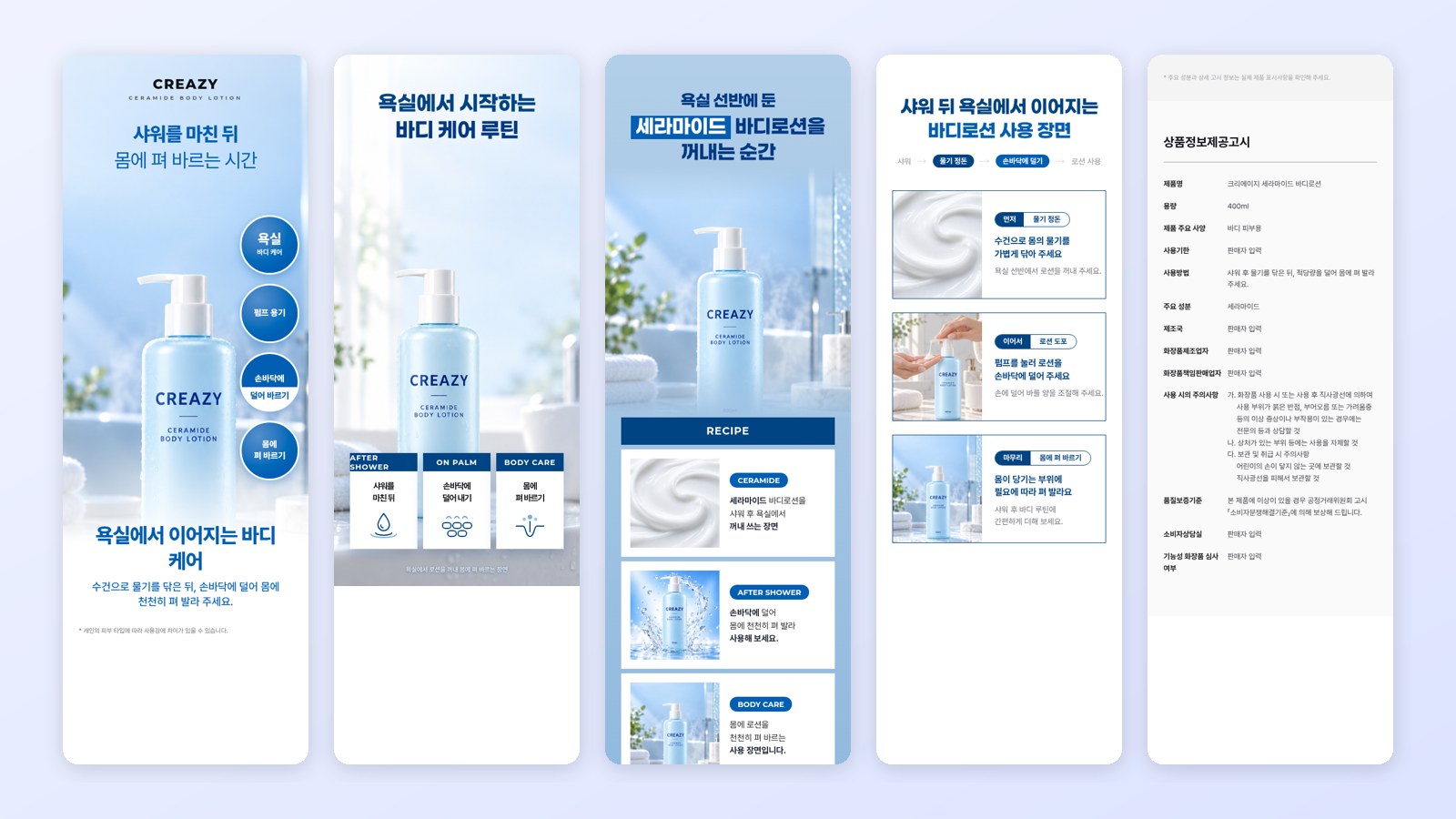
CreazyCeramide body lotion (fictional product) detail page made from one photo
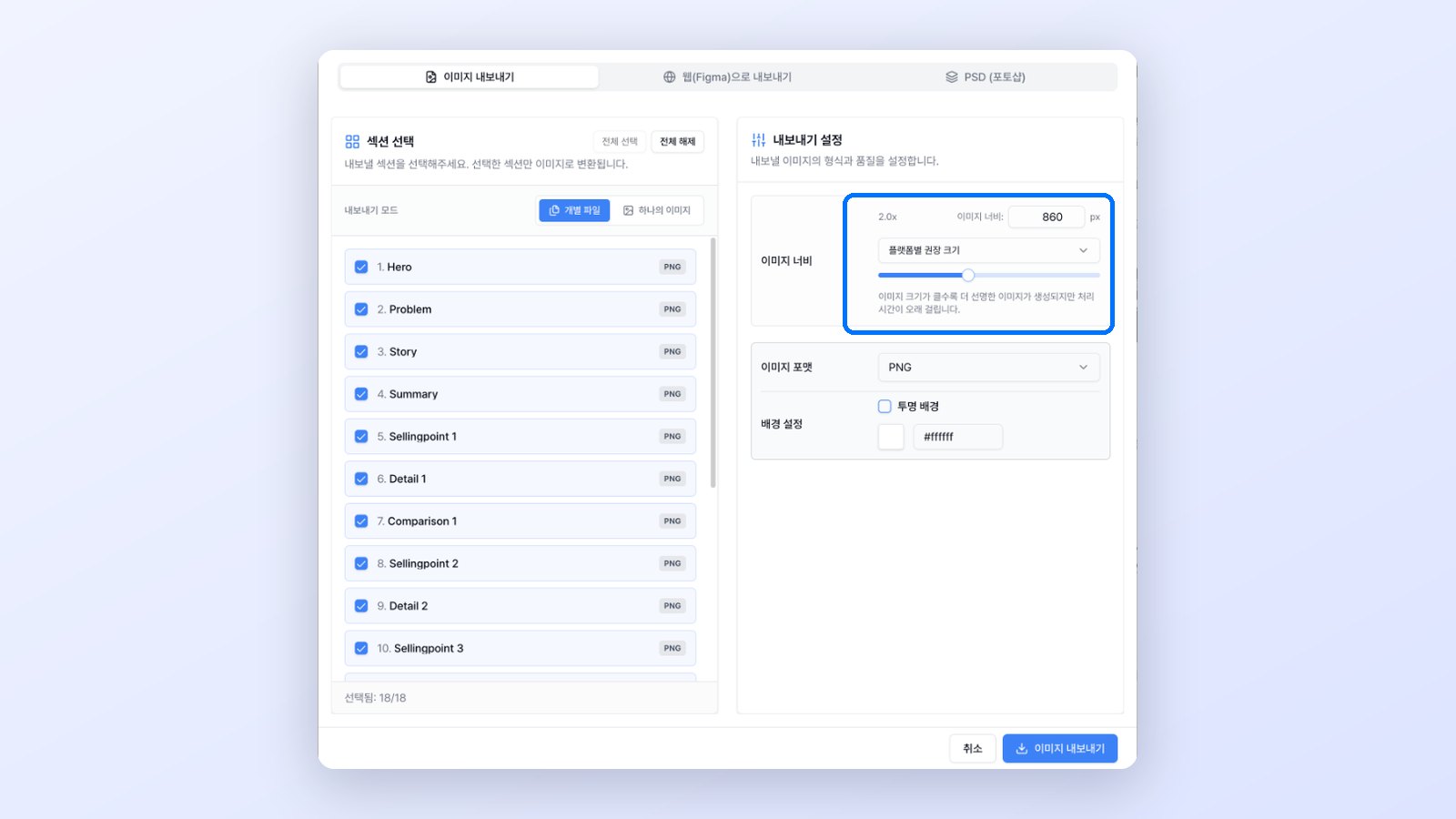
CreazyExport window with Image, Web (Figma) and Photoshop tabs and marketplace width choices
Cons and conditions to check
- Basic costs KRW 33,000 with monthly billing and includes 500 credits. Assuming a detail page uses 100~130 credits, that is about 3.8~5 pages, or roughly KRW 6,600~8,580 per 1 page when all credits go toward detail pages. Output volume changes depending on credits spent on new AI images and videos.
- Subscription credits expire after 30 days without rolling over. Free users get 5 AI chats per project, and generating a new AI image costs 5 credits per 1 image.
- Basic web URLs carry a watermark. Watermark-free web publishing, HTML and iframe are supported on Pro and Max. Importing a web URL is different from directly exporting a Figma file.

CreazyThe same section before and after a single chat revision request
Hookable
Key features
It creates planning, copy and design from product photos and features, and lets you revise a selected area through chat or direct editing. It also offers downloads sized for each platform and sales management integrations.
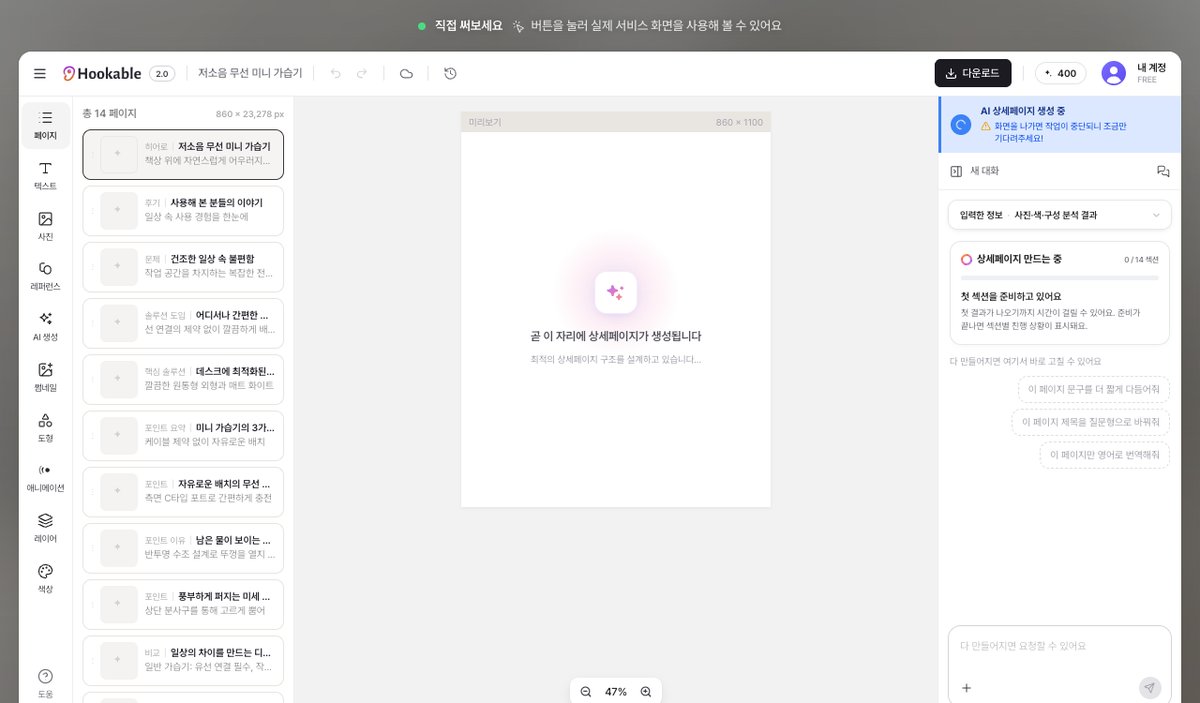
HookableEditor demo on the official website
Pros
- You can review a planning draft before design begins, then make partial edits and restore earlier versions after completion.
- It suits sellers who want to handle product listings and updates, orders and customer service through Coupang and Toss Shopping integrations.
Cons and conditions to check
- Starter costs KRW 29,000 per month, less than Creazy Basic. It includes 1,000 hooken; consider usage based on page length and generation and editing tasks as well.
- You can try making 1 page for free, but downloading requires a subscription. GIF generation and editing are included in Growth, while Figma export is included in Pro, so choose a plan based on the outputs you need.
Draph Art
Key features
It creates product photos, layouts and copy together from product information and changes the structure through chat. Alongside detail pages, it offers tools for product and portrait photography and video creation.

Draph ArtDetail page information input screen on the official website
Pros
- It suits workflows that prepare sales visuals such as product photos and model shots within the same service.
- You can use the resulting detail pages as images and HTML code.
Cons and conditions to check
- The official pricing guide directs users to Pro Plus or Omni for detail pages and video creation. Distinguish plans for photo creation from those for detail page creation.
- You need to manage the BP used for detail page revisions together with that used for separate image and video generation. Check the terms for the tasks you need first.
Geditor
Key features
It creates AI product detail pages from product information and lets you adjust content in a block editor. Version 3.0 also generates images needed for the page, while AI Text changes the wording while retaining the existing design.

GeditorOfficial website home screen
Pros
- Starting with Lite at KRW 5,500 per month keeps monthly fixed costs low. Download finished images by specifying the width and vertical split positions.
- You can continue other work during generation and reuse an existing design by replacing only the text.
Cons and conditions to check
- Lite includes 5,000 tokens, and each 1-time 3.0 generation also costs 5,000 tokens. PC downloads on Lite and Basic cost 10 tokens per 1 download, so the allowance does not mean there is ample capacity for both 3.0 generation and downloads.
- Unused tokens do not roll over to the following month. Shareable URLs start with Basic; free PC downloads apply to Advanced and Premium.

4. 4 tools combining design and AI editing
Canva
Key features
Choose a detail page template, edit the photos, copy and layout, and use AI writing, image generation and photo editing tools. The same design environment also supports banners and social media content beyond detail pages.
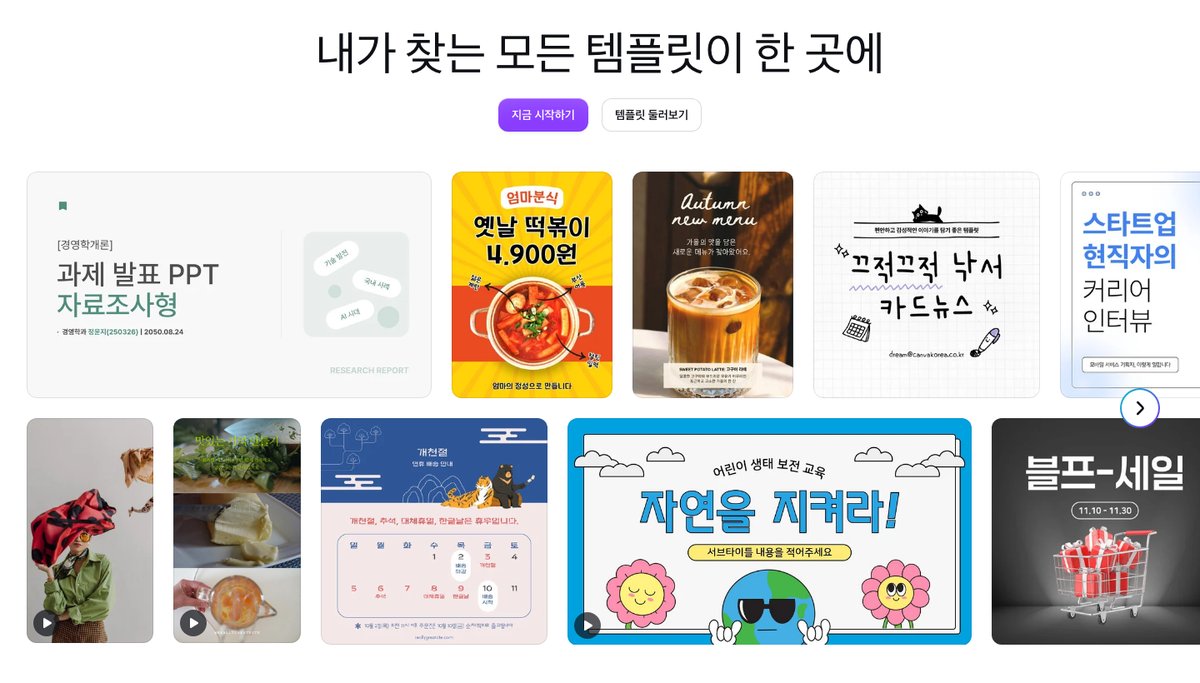
CanvaTemplate area on the official website home screen
Pros
- It is convenient when you already have organized product copy, photos and brand designs and are comfortable editing templates yourself.
- Pro at KRW 99,000/year/person has a lower subscription fee than Creazy Basic with annual billing. Business includes collaboration, team management and approval features.
Cons and conditions to check
- Template-based work still requires you to decide each product's section flow and wording and reflect them in the design. Even with AI generation, you need to specify product information, format and revision direction.
- Usage conditions and limits differ across AI tools. Check the conversational design features available for your account and language; per-user fees are separate from the number of pages you create.
MiriCanvas
Key features
Design with Korean templates and an editor, using Miricle AI to help generate, stage and edit images. You can use it to transfer prepared product descriptions into a design and refine them.
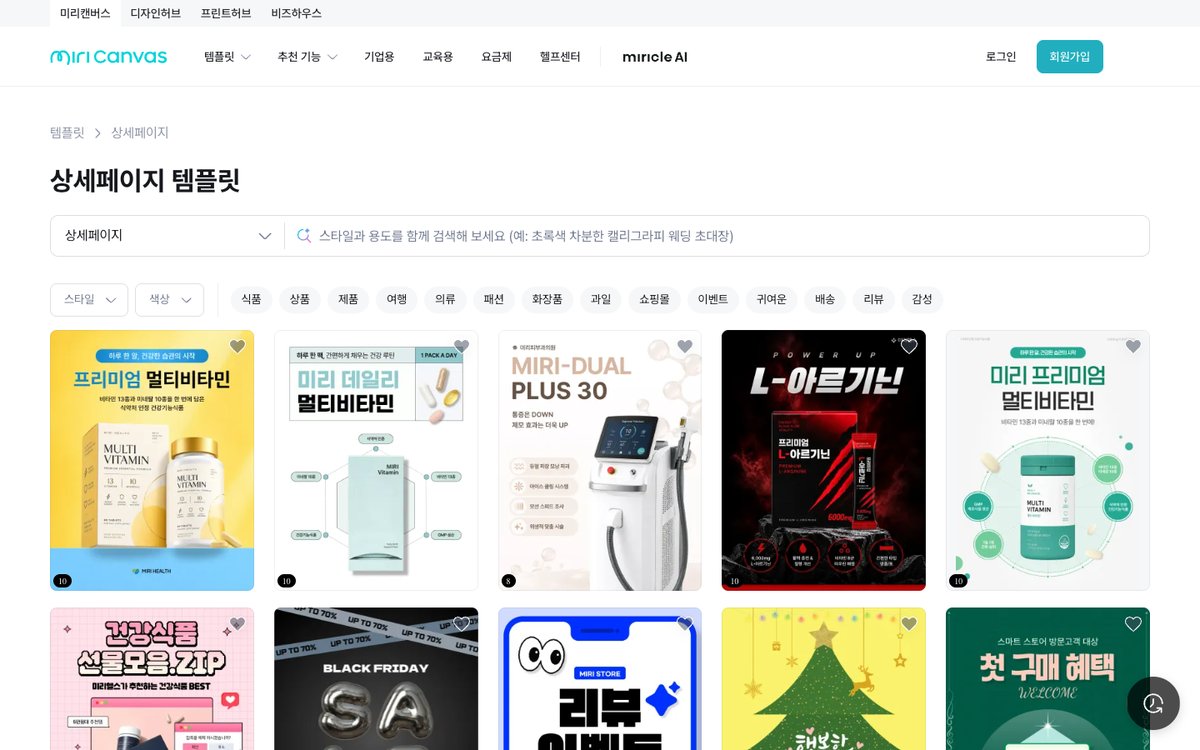
MiriCanvasDetail page template list on the official website
Pros
- Start with free templates and basic editing, then adjust the parts you need yourself in a familiar Korean design environment.
- Pro offers premium content, AI tools and unlimited photo background removal.
Cons and conditions to check
- Check whether the elements in your chosen template and the AI features you want fall within the free allowance.
- If you decide the product's key benefits and explanation sequence yourself and transfer them into a template, you also need to review the copy and maintain consistency across sections.
Mangoboard
Key features
It generates product detail pages with AI Designer. This design tool combines templates and AI, offering both direct element editing in the editor and revisions through prompts.
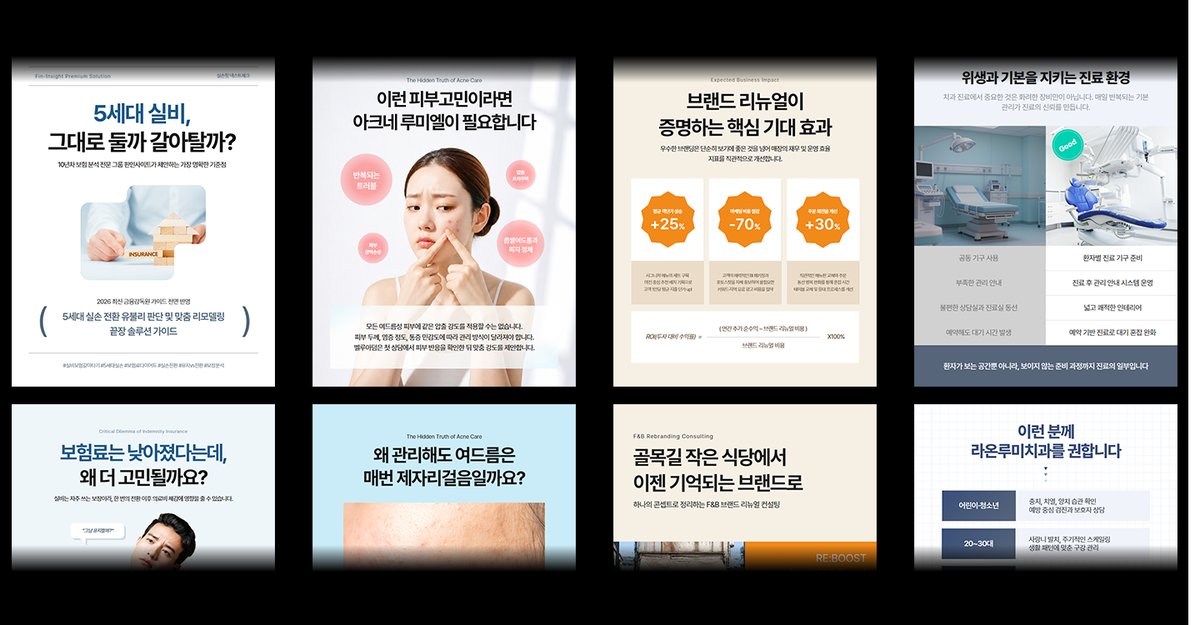
MangoboardDetail page examples on the AI Designer introduction page
Pros
- After receiving an AI detail page draft from product information, you can use words to change specific copy or the overall feel.
- Free members also receive 300 AI-only points daily to try the features.

MangoboardOfficial guide example of revising a design using a selected area and prompt
Cons and conditions to check
- The General plan costs KRW 29,000 for 1 month. Plans are chosen based on end use rather than the creator's job title, so also check conditions for use by companies, institutions and similar organizations.
- AI features use points; consider AI Booster if you have a large volume of additional work. Results revised through prompts are imported into the editor as a single flattened image. The official guide says you cannot return to the state before a revision, so download important drafts beforehand.
Adobe Express
Key features
Create image and text effects with templates and Firefly generative AI, then edit designs. It also introduces an AI Assistant beta, extending beyond manual template editing.
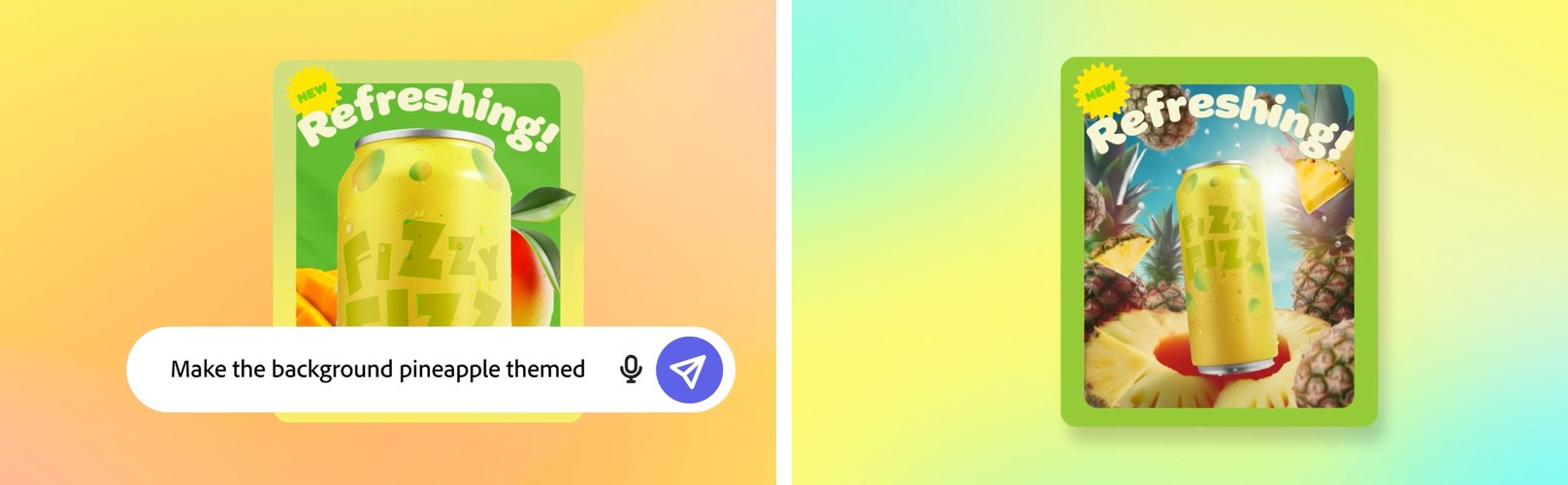
Adobe ExpressBefore and after a chat request in the AI Assistant demo video from Adobe Newsroom
Pros
- It suits teams that want to work with photos, videos and social media content in one environment.
- Start with free basic editing and some generation credits, then use resizing, brand kits and other features in Premium.
Cons and conditions to check
- Premium costs KRW 15,200 per month. The subscription centers on templates, brand tools and generative AI credits, so it should not be interpreted as a number of automatically generated detail pages.
- You need to determine the product's selling points and the sequence of a long explanation before structuring the page. Its suitability depends on whether your work centers on images and banners or whether you want help starting with product planning.
5. 4 copy and general-purpose AI tools for broader copywriting and planning
Treating this group as tools that only write text overlooks their current capabilities. ChatGPT offers Sites, Claude offers Design, and Gemini offers image generation and Canvas. However, requests without product information make it hard to obtain the sales flow and submission format you want, leaving sellers with more responsibility for planning and defining the output format.
Wrtn
Key features
Refine product introductions and marketing copy through chat, and revise tool outputs using the web rewriting feature.
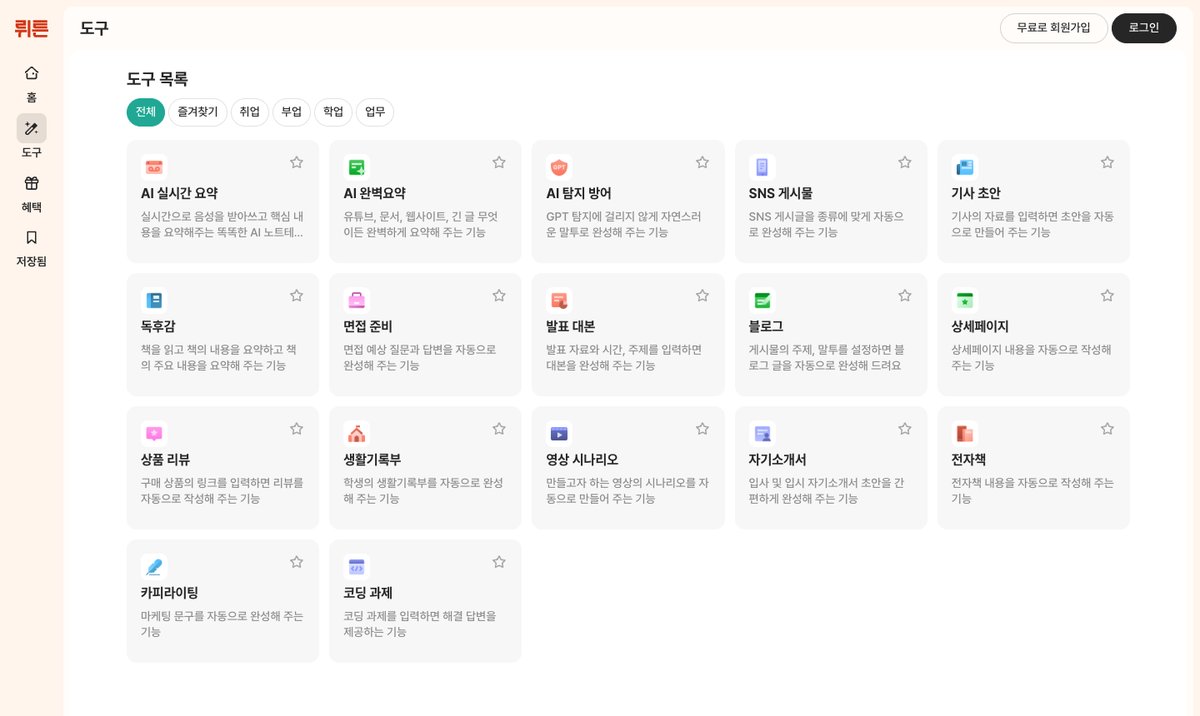
WrtnDetail Page and Copywriting tools in the tool list
Pros
- Web chat works without signing in, making it convenient to quickly review wording and emphasis in prepared product descriptions.
- Open the rewriting feature from a tool's output and request new copy in your preferred direction.
Cons and conditions to check
- File attachments, saving and tools require sign-in. According to the official notice, image generation in tools ended on March 9, 2026.
- After receiving the copy, you still need to arrange photos and text and assemble them into a detail page output suited to the marketplace.
ChatGPT
Key features
Use materials and conversation to organize product positioning, explanation order and copy, and create images. Sites lets you create, refine, publish and share websites.
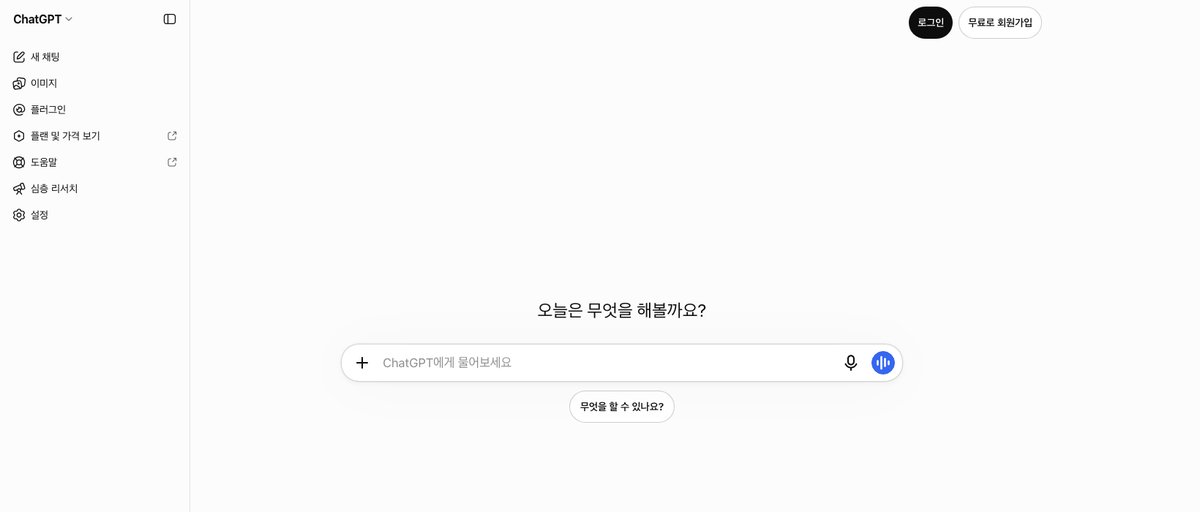
ChatGPTHome screen before sign-in
Pros
- Explore through conversation which benefits to show first and to which customers, then continue into copy, images and web pages.
- It offers broad applications if you want to create product introduction websites or customer-facing pages alongside marketplace detail pages.
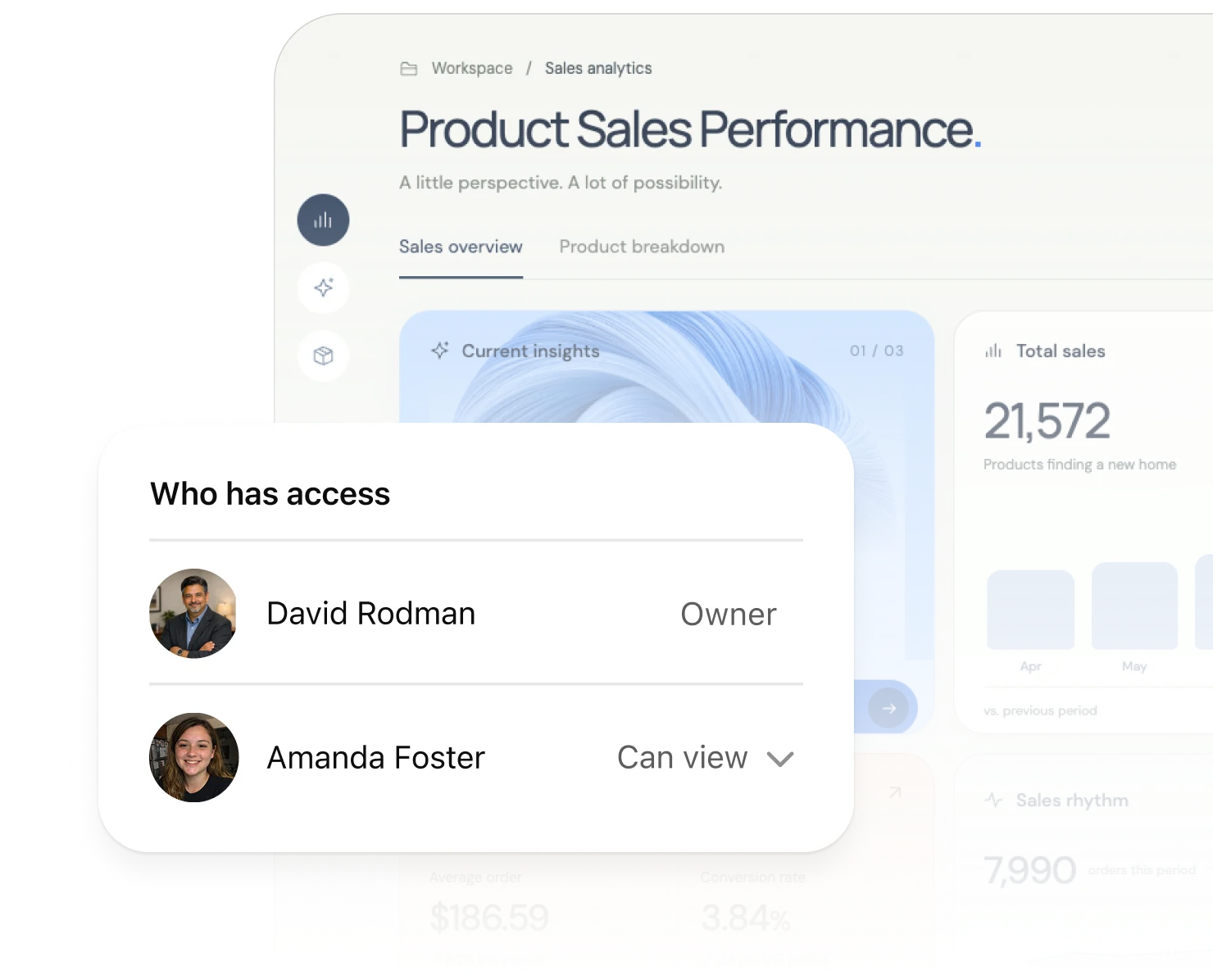
ChatGPTWeb page access settings example shown in the official Sites introduction
Cons and conditions to check
- Free image generation and file uploads have limits. The Sites public beta is available on eligible plans such as Plus, with regional and account conditions also applying.
- Publishing a web page with Sites serves a different purpose from obtaining vertical images or PSD files for marketplace listings. Decide the width, splitting and editable format you need first.
Claude
Key features
Organize planning and copy from product materials, then create and refine visual drafts with Claude Design. It supports direct text editing, adjusting element placement, and exporting HTML, PDF and PowerPoint.
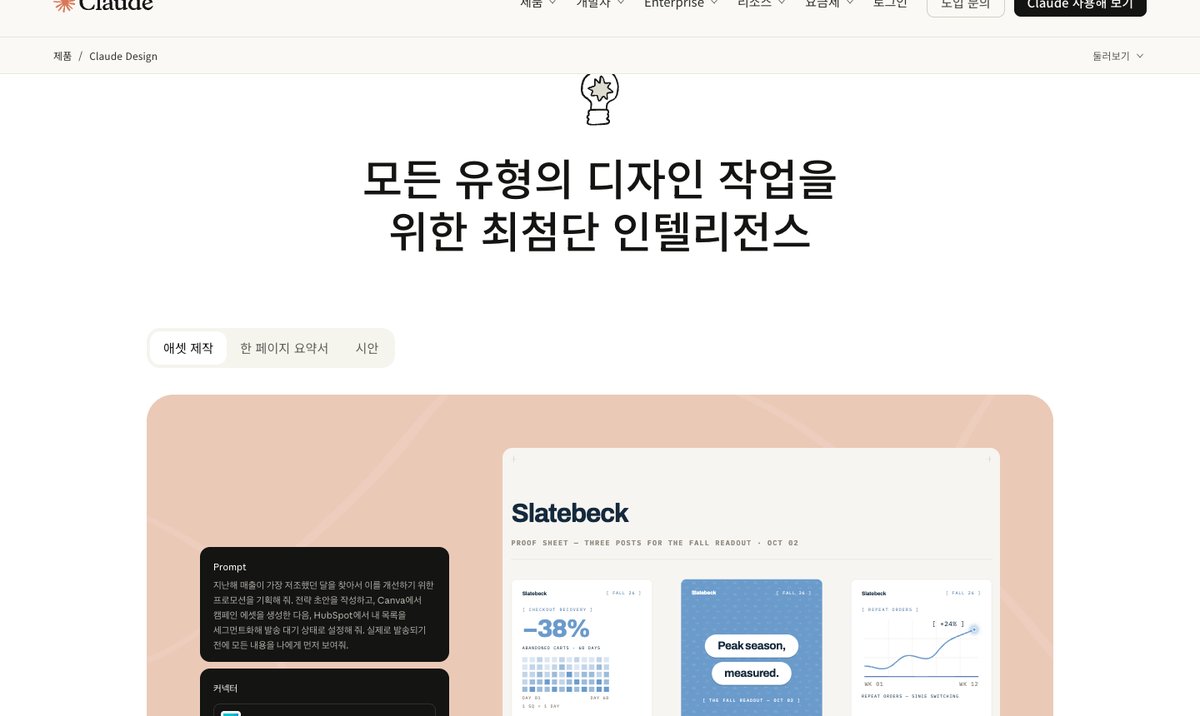
ClaudeClaude Design introduction page
Pros
- You can move from planning work that organizes lengthy materials through design drafts to sharing and file handoff.
- Claude Design is also available on the free plan within usage limits.
Cons and conditions to check
- Design work shares the plan's usage allowance. Large design requests may use more of that allowance than ordinary messages.
- Pro costs USD 20 per month, or USD 200 paid annually upfront. Taxes are separate; decide marketplace image specifications and the files your designer will receive before starting work.
Gemini
Key features
Refine product copy and planning through conversation, using image generation, editing and Canvas. Beyond sales copy, it can help explore product styling ideas and separate web content.
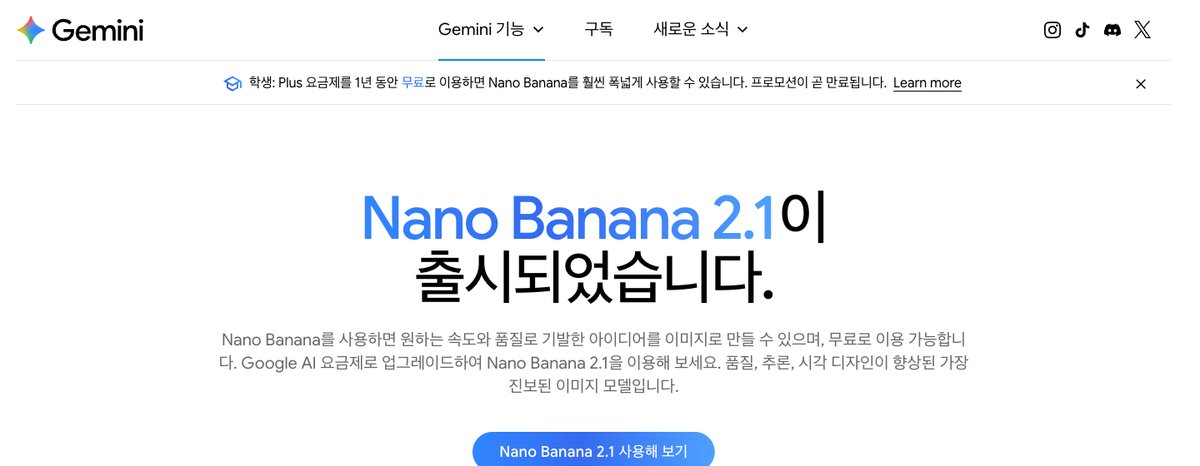
GeminiImage generation introduction page
Pros
- Image generation, editing and Canvas are available even on the free plan.
- Google AI Plus costs KRW 7,500 per month, offering a low starting cost when you want higher usage allowances.
Cons and conditions to check
- Models and limits differ between free and paid plans. Check the volume of image work you need and the features available on the account you will use.
- The official image guide explains visible watermarks and invisible SynthID. Check these markings and the output specifications when placing finished images in sales designs.
6. Which tool fits your situation?
| Work you want to reduce now | Tools to consider first | Why choose them |
|---|---|---|
| Separately creating selling points, sections and designs from photos | Creazy | Connects product information to planning, copy and design drafts together |
| Repeatedly revising copy, layout and sections after completion | Creazy | AI chat edits, additions and deletions use no credits while subscribed |
| Separately preparing marketplace images and designer handoff files | Creazy | Images, PSD and web URLs; HTML and iframe on Pro and Max |
| Switching between creation, product listings and sales management | Hookable | Coupang and Toss Shopping integrations |
| Creating product and portrait photos and videos alongside detail pages | Draph Art | Sales image and video tools alongside detail page creation |
| Starting generation features with low monthly fixed costs | Geditor | Lite KRW 5,500/month; calculate generation and download tokens together |
| Refining designs yourself using familiar templates | Canva, MiriCanvas | Various design uses and editing environments |
| Revising an AI draft verbally, then editing individual elements | Mangoboard | AI Designer, prompt revisions and the editor |
| Creating photo, video and social media designs together | Adobe Express | Firefly and various editing and brand tools |
| Refining copy in prepared product descriptions | Wrtn | Web chat and tool rewriting |
| Exploring planning, design and web content from lengthy materials | ChatGPT, Claude, Gemini | Conversation, material analysis and a broad choice of output formats |
For example, if you sell body lotion, requests continue after creation: “Shorten the explanation that it is for sensitive skin, move usage instructions after the ingredients, and emphasize moisture on the opening screen.” In Creazy, you can keep making these changes within the same detail page, then upload the final images to a marketplace or hand the PSD to a designer. The benefit is reducing the work of turning a planning document into a design, explaining revisions again, and preparing separate handoff outputs.

CreazyScrolling through the chat-edited body lotion page from the opening screen to the end
7. FAQ
Which of the 12 tools is cheaper?
For monthly fixed costs, Geditor Lite at KRW 5,500 and Gemini AI Plus at KRW 7,500 are lower than Creazy Basic at KRW 33,000. Canva Pro at KRW 99,000/year/person also has a lower annual subscription fee. However, subscriptions provide different things, such as generation tokens or access to templates and AI, so a direct per-detail-page comparison is difficult. Also consider your own work on planning, repeated revisions and file handoff.
Can I export detail pages made for free?
Creazy lets you create and export 2 free detail pages. Start by checking whether the drafts reflect your product photos and information and whether you can obtain outputs usable on a real marketplace. For other tools, examine free-plan elements, AI allowances and download conditions separately.
General-purpose AI and template tools also support chat edits. What is different?
Many services support chat edits. Creazy's advantage is a workflow where planning, copy and design are created together from product information, and you can keep refining that detail page within the same project. While subscribed, chat edits, additions, deletions and exports use no credits. New AI image and video generation is separate; also distinguish the web export capabilities of Basic from those of Pro and Max.
8. Conclusion
If your templates and copy are ready, a familiar design tool is a good fit. General-purpose AI is useful for broadly exploring planning materials. If you want to create detail page drafts from product photos, revise them repeatedly, and reduce the work of delivering them to marketplaces and designers, try Creazy first.
You can create and export drafts for your own product with 2 free detail pages and check the results.
Related comparisons
- 2026 Creazy vs Hookable AI Detail Page Comparison
- Comparing 7 AI Tools That Help You Create Product Detail Pages in 2026
Sources
- Creazy key features · Pricing · Terms of Service · Free usage FAQ
- Hookable features and pricing
- Draph Art detail page creation · Pricing
- Geditor pricing, tokens and exports
- Canva pricing · Detail page design · AI usage · Canva AI
- MiriCanvas pricing and plan features
- Mangoboard pricing and points · AI detail pages · Editing with prompts
- Adobe Express pricing and features
- Wrtn Help Center · Notice of discontinued features
- ChatGPT pricing and plans · Sites
- Claude pricing and plans · Claude Design
- Gemini subscriptions · Image generation and editing