MiriCanvas vs Creazy: AI Detail Page Comparison
MiriCanvas detail pages compared with Creazy on pricing, free options, creation, revisions, and export. Instead of filling templates, get an AI draft and revise in chat with no credits used during a subscription.

What you'll find here
- See how Creazy turns product photos and a description into a page draft.
- Compare ways to revise copy and structure in chat.
- Export a page made for free and see whether it fits your work.
Even after choosing a design you like from the MiriCanvas detail page templates, you still have to figure out the structure and copy that fit your product. Creazy helps from that starting point. Add product photos and a description, and get a page draft that brings planning and design together.
You also don't have to find and edit every line one by one afterward. Ask in chat, “Shorten the headline” or “Organize the overlapping content,” then review the result. This article looks at the work you can reduce when creating a first draft and making repeated revisions.
This article was written by the Creazy team. We checked MiriCanvas and Creazy pricing and features on November 7, 2026. Pricing and terms can change, so check the latest terms before paying.
For a look at other ways to create pages, see Comparing 7 AI Tools That Help You Create Product Detail Pages in 2026.
1. MiriCanvas and Creazy at a glance
| What to compare | Creazy | MiriCanvas |
|---|---|---|
| Main content | Product detail pages, thumbnails, and Shorts | Many design templates, including detail pages, presentations, and print materials |
| Getting started | Generate a planning, copy, and design draft from product photos and a description | Choose a template or generate needed sections with Miricle |
| Revising copy | Request a change to even one sentence in chat. Direct editing is also available | Select and edit text, and use AI tools as needed |
| Repeated revisions | AI chat edits, additions, deletions, and exports use 0 credits during a paid subscription | Select elements in the editor and edit them one by one |
| Changing the structure | Request sections to be added, removed, or reordered in chat | Edit template elements and sections to shape the overall flow |
| After finishing | Deliver in a format suited to the work, such as an image, PSD, or web address | Download in a supported format suited to the intended use. PSD is not supported |
| Pricing | Basic from KRW 33,000 per month (KRW 25,000 per month billed annually) | Free, Pro KRW 14,900 per month (KRW 160,800 per year, per member) |
Where a MiriCanvas detail page starts from a template, Creazy's strength is that you can get a draft, request changes, and finish the page. For anything you want to adjust directly, refine it in Free Mode.
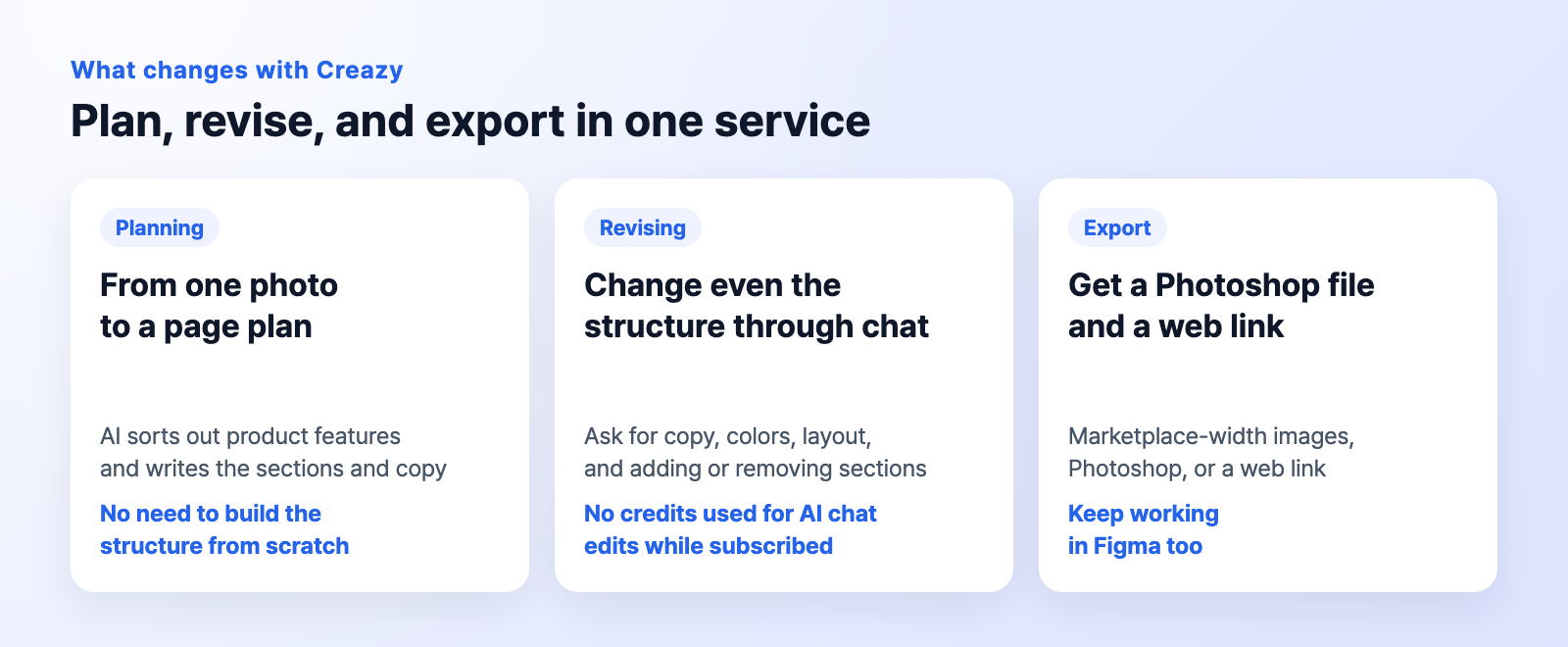
CreazyPlanning, revisions and handoff. Import a published web URL into Figma with html.to.design
2. MiriCanvas Free vs Creazy free trial
| Creazy Free | MiriCanvas Free | |
|---|---|---|
| Getting started | Create product pages with the free credits provided after signing up | Use templates and design tools on the free-forever plan |
| Try it out | Create 2 product detail pages | 50,000+ templates, 350,000+ photos and graphics, 1GB storage |
| Revisions | 5 AI chat turns per project. Direct editing is also available | Edit copy and elements in the editor |
| Export | Pages made for free can also be exported | Downloads depend on the terms for the content and file format used |
Creazy free trial: Get a draft for your product and receive the file
Create a product page with photos and a description, revise it in chat, and get the file. Pages made for free can also be exported, so you can review a result you can use in actual sales work.
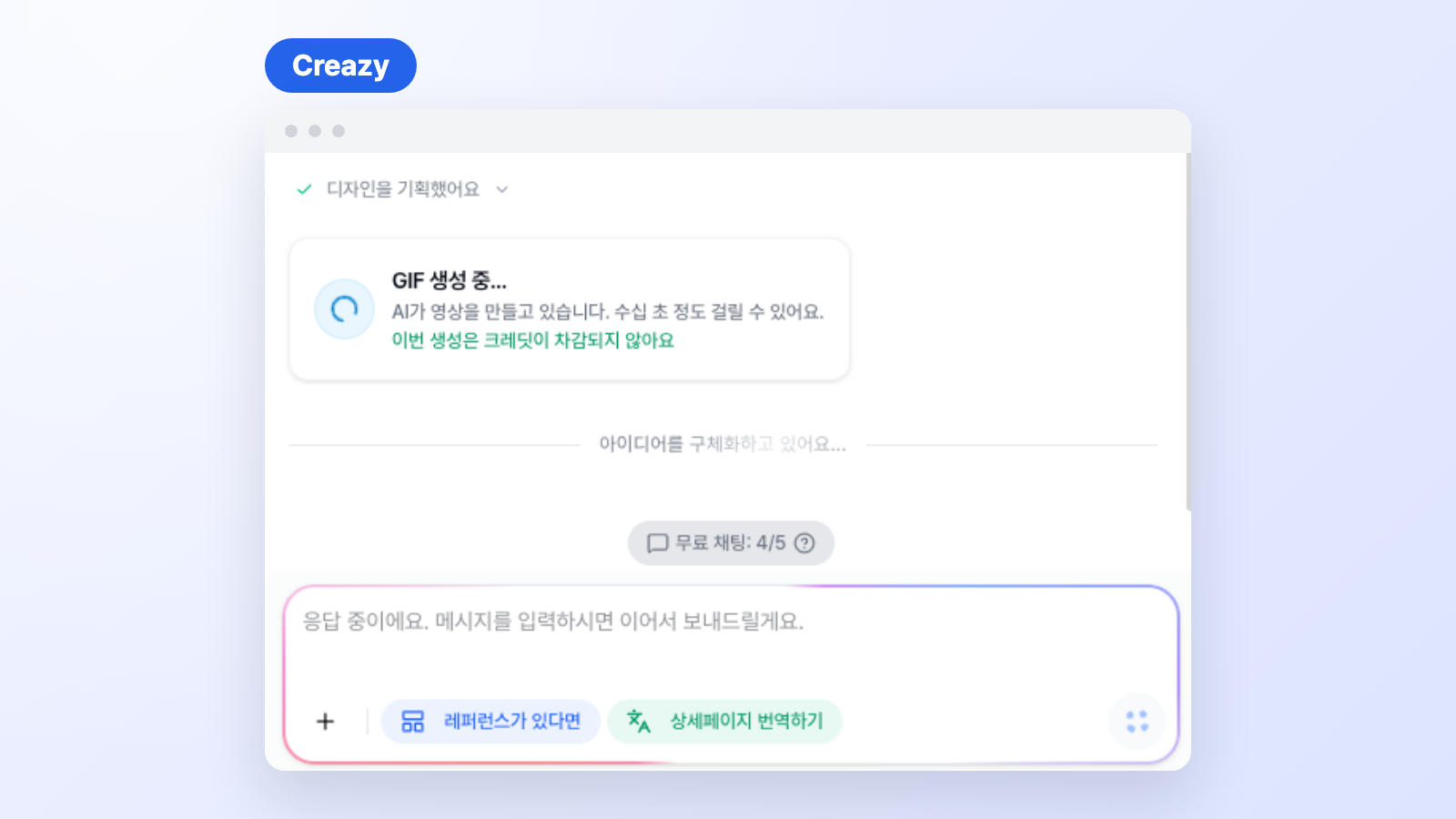
CreazyFree accounts get 5 AI chats per project, and the remaining count appears in the chat panel
MiriCanvas Free: Put your prepared content into a template
On the MiriCanvas free plan, you can add photos and copy to a free template and refine the design. Premium templates and content marked with a crown require a Pro upgrade or an individual purchase, so check for paid content before downloading. MiriCanvas Pro offers a one-time free trial.
3. MiriCanvas pricing vs Creazy pricing
MiriCanvas plans are design tool passes that expand templates, photos, graphics, and storage. Creazy pricing centers on credits for AI that plans and designs product pages, plus unlimited revisions during a subscription. Even at a similar monthly price, you get different work done, so compare them side by side.
MiriCanvas pricing: Access to templates and content
| Plan | Monthly | Annual | Main features |
|---|---|---|---|
| Free | KRW 0 | KRW 0 | 50,000+ templates, 350,000+ photos and graphics, 1GB storage |
| Pro | KRW 14,900 | KRW 160,800 (KRW 13,400 per month) | Unlimited premium templates and content, 10GB storage, AI tools, unlimited background removal, 7-day work history recovery |
| Enterprise | Contact sales | Contact sales | More storage, team drives, brand kit, SSO and API integration |
MiriCanvas prices include VAT and are per member.
Creazy pricing: Choose by output volume and delivery format
| Plan | Monthly, 30 days | Monthly equivalent billed annually | Credits |
|---|---|---|---|
| Basic (includes watermark) | KRW 33,000 | KRW 25,000 | 500 |
| Pro | KRW 99,000 | KRW 75,000 | 2,000 |
| Max | KRW 198,000 | KRW 150,000 | 5,000 |
Opening a product page project uses 100 credits, and with new media generation a page usually uses 100~130 credits. Subscription credits are issued every 30 days. Extra credits cost KRW 8,000 per 100 and never expire. Annual billing saves 24%.
Creazy pricing includes a draft where AI handles planning, copy, and design, chat revisions with no credit deductions during a subscription, and Photoshop and web export. Where MiriCanvas Pro expands your templates and assets, Creazy reduces the seller's work of structuring, writing, and revising again and again.
Before paying, use the same product to go from a first draft to a finished file. Review the draft's structure and copy in Creazy, write your requested changes in chat, and check the exported file to see which tasks you would save. New projects and AI image or video generation use credits.
4. How a MiriCanvas detail page is made vs a Creazy draft
Creazy: A draft that carries planning through to design
Add photos and a description, and AI organizes the product's features in the planning stage. Review the content, add any requests, and submit it to create a page draft with sections, copy, images, and design.
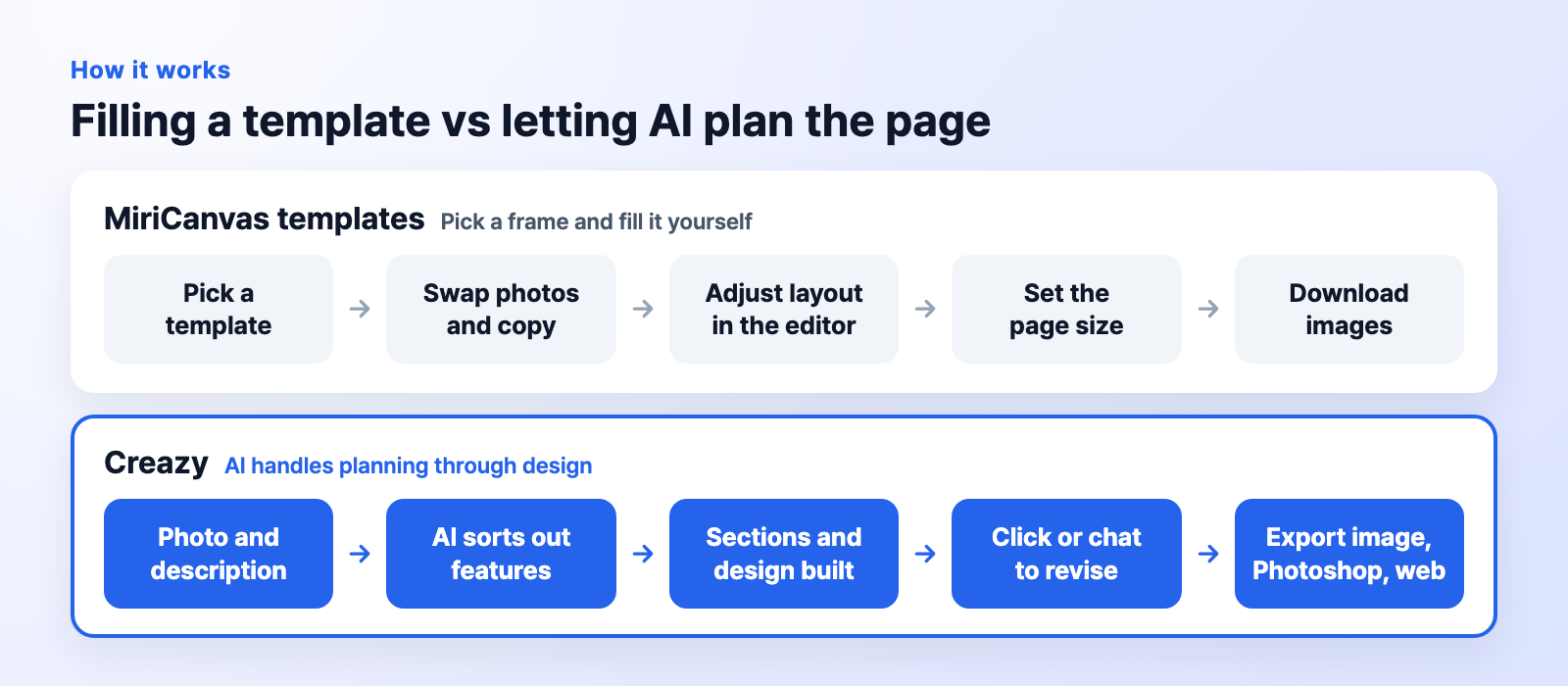
CreazyCreating a draft from product information compared with MiriCanvas’s template-editing workflow
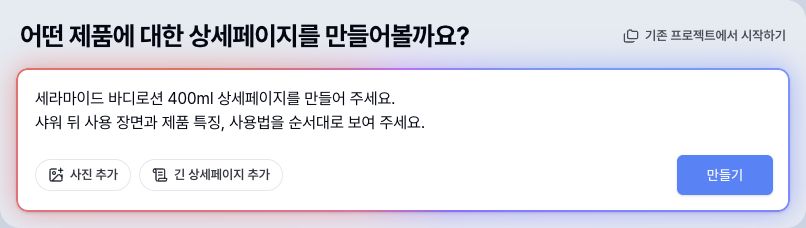
CreazyEnter a product description and the structure you want at the start of creation
We made a ceramide body lotion page for our fictional brand this way, too. Instead of filling every section from scratch as with a MiriCanvas template, the workflow is to review the draft and request the changes you need.
CreazyAdd a photo and description, and Creazy fills in the sections, copy and images
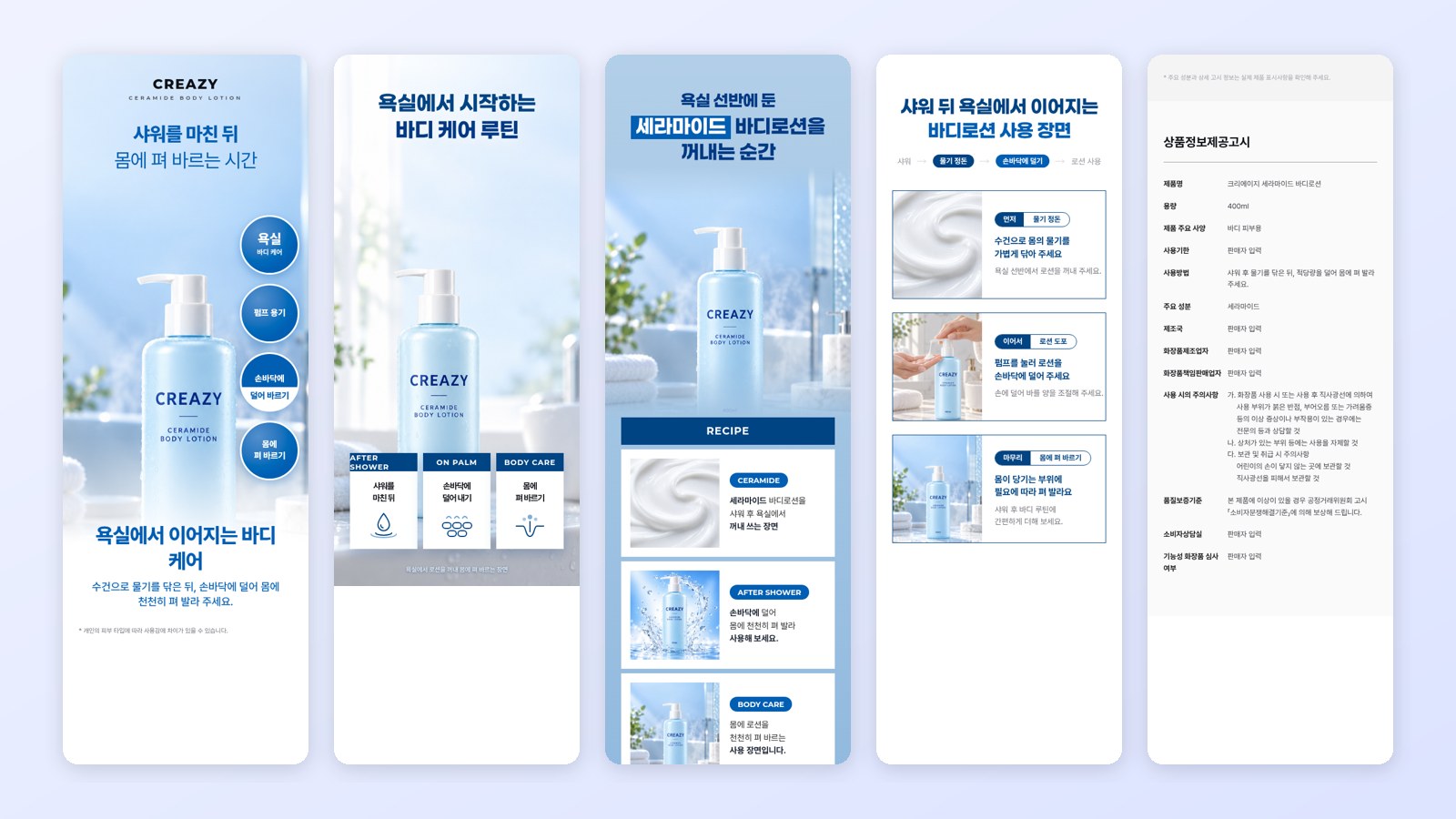
CreazyDraft sections from the first view to usage scenes and the product information notice
MiriCanvas detail page: Start with a template or Miricle sections
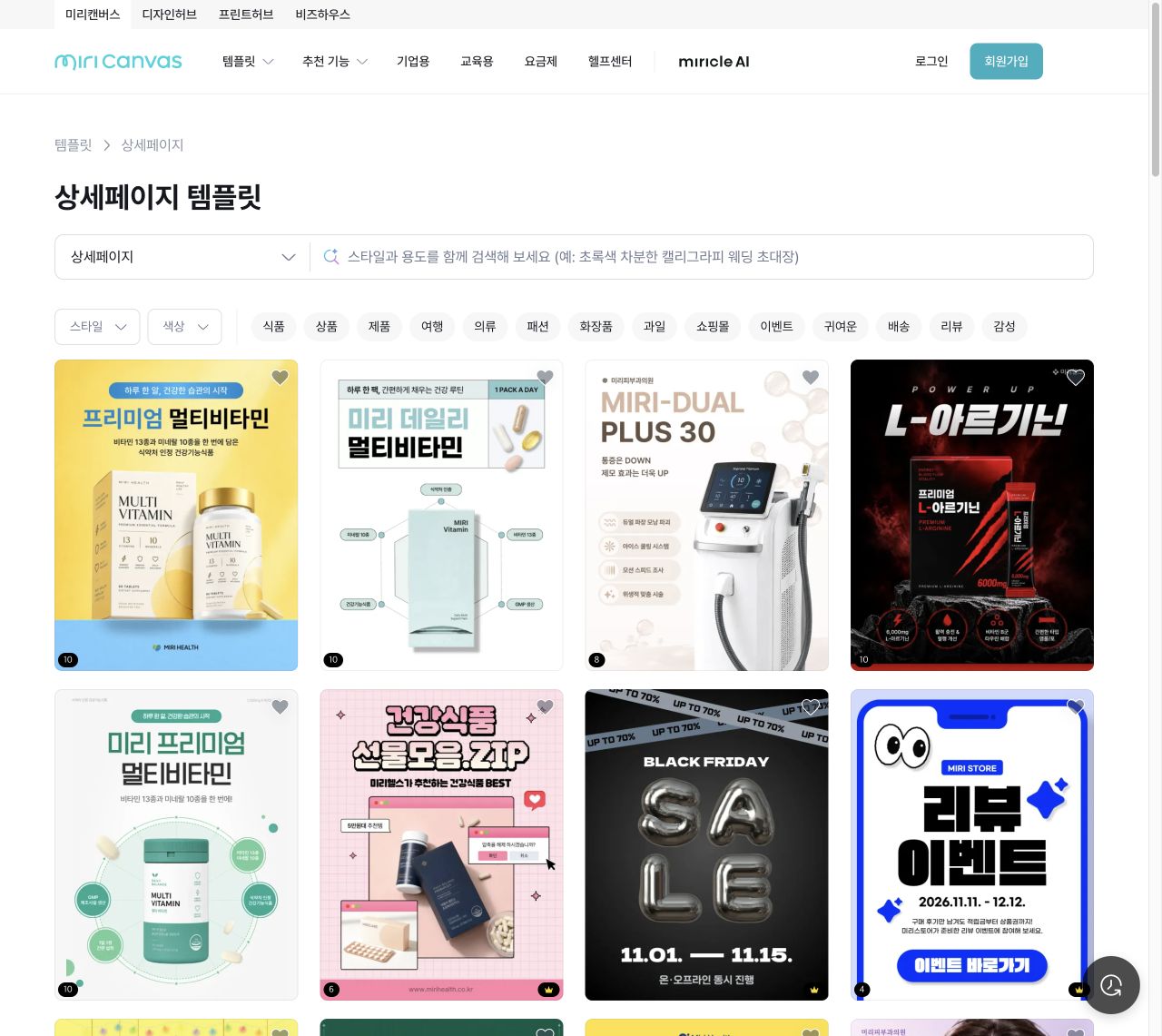
MiriCanvasChoosing a product-page template to edit its photos and copy
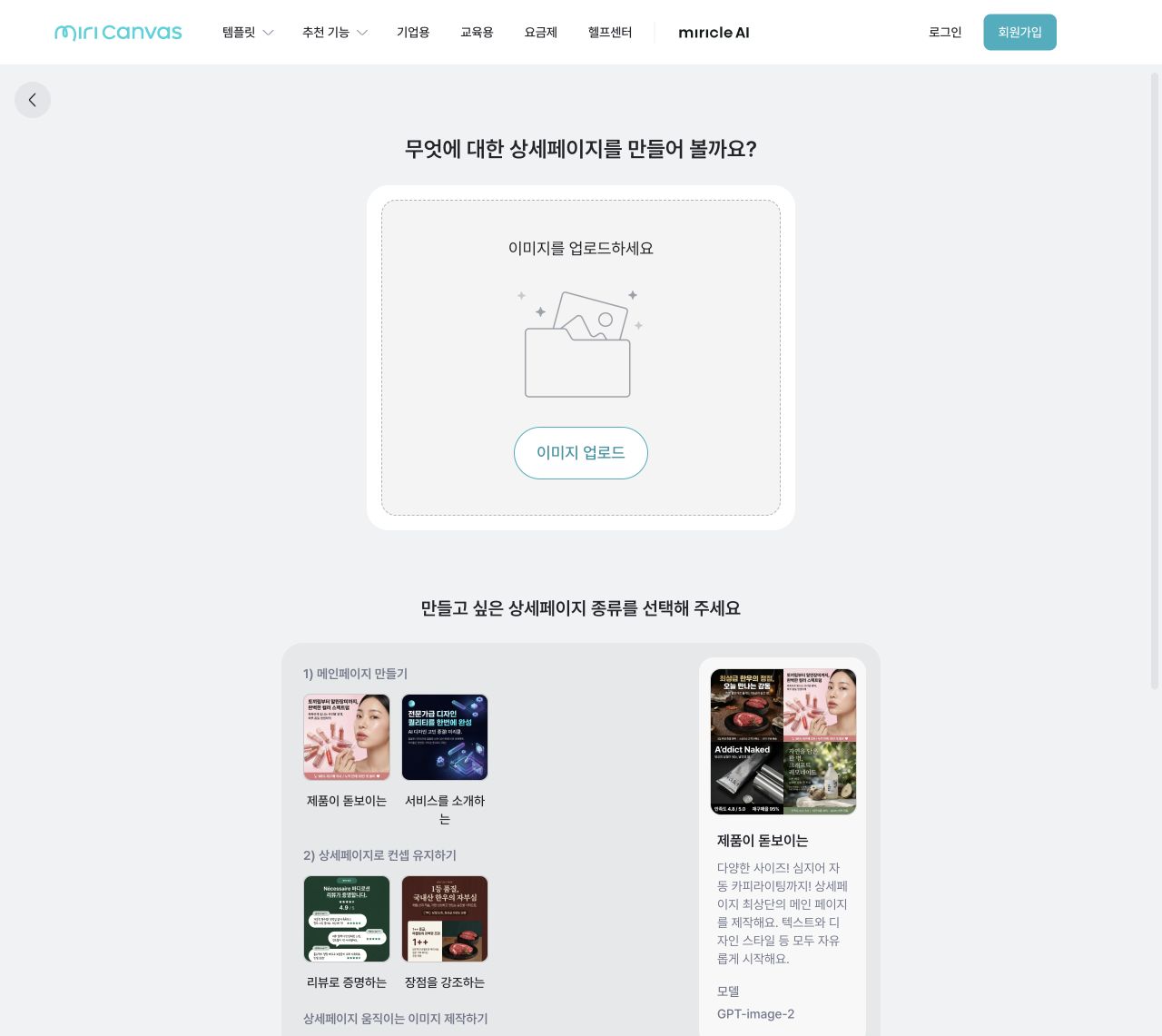
MiriCanvasUploading an image and choosing a main, review, or benefits section
A MiriCanvas detail page starts from a template where you replace the photos and copy, or from MiriCanvas AI Miricle, which generates specific sections such as a hero, reviews, or benefits. In MiriCanvas, you connect the sections and shape the overall flow yourself. With Creazy, that connection comes in the draft from the start.
Try creating a Creazy draft for your product
Create 2 product pages for free and review the finished files.
5. MiriCanvas editing vs Creazy chat revisions: Even one line in chat
You can request copy changes in chat, such as “Make this sentence shorter.” Chat isn't only for changing several things at once.
| What you want to change | How to request it in Creazy |
|---|---|
| Headline and description | “Keep the headline short and organize the description into three lines” |
| Repeated content | “Combine overlapping sections and tidy up the flow” |
| Section order | “Show the use scene first” |
Creazy: Say what to change and review the result
In the AI chat window, you can request changes to copy, colors, fonts, and layout, as well as adding, removing, or reordering sections. Direct editing is an option when you want it. You can click copy to edit it or move elements in Free Mode.

CreazyAn example request for a shorter title, concise copy and a different section order
CreazyTag a section and send a request, and only that section changes
For the body lotion page, we asked it to organize overlapping sections, tone down definitive claims about benefits, and leave the usage period and manufacturer information that we hadn't provided as “seller to fill in.”
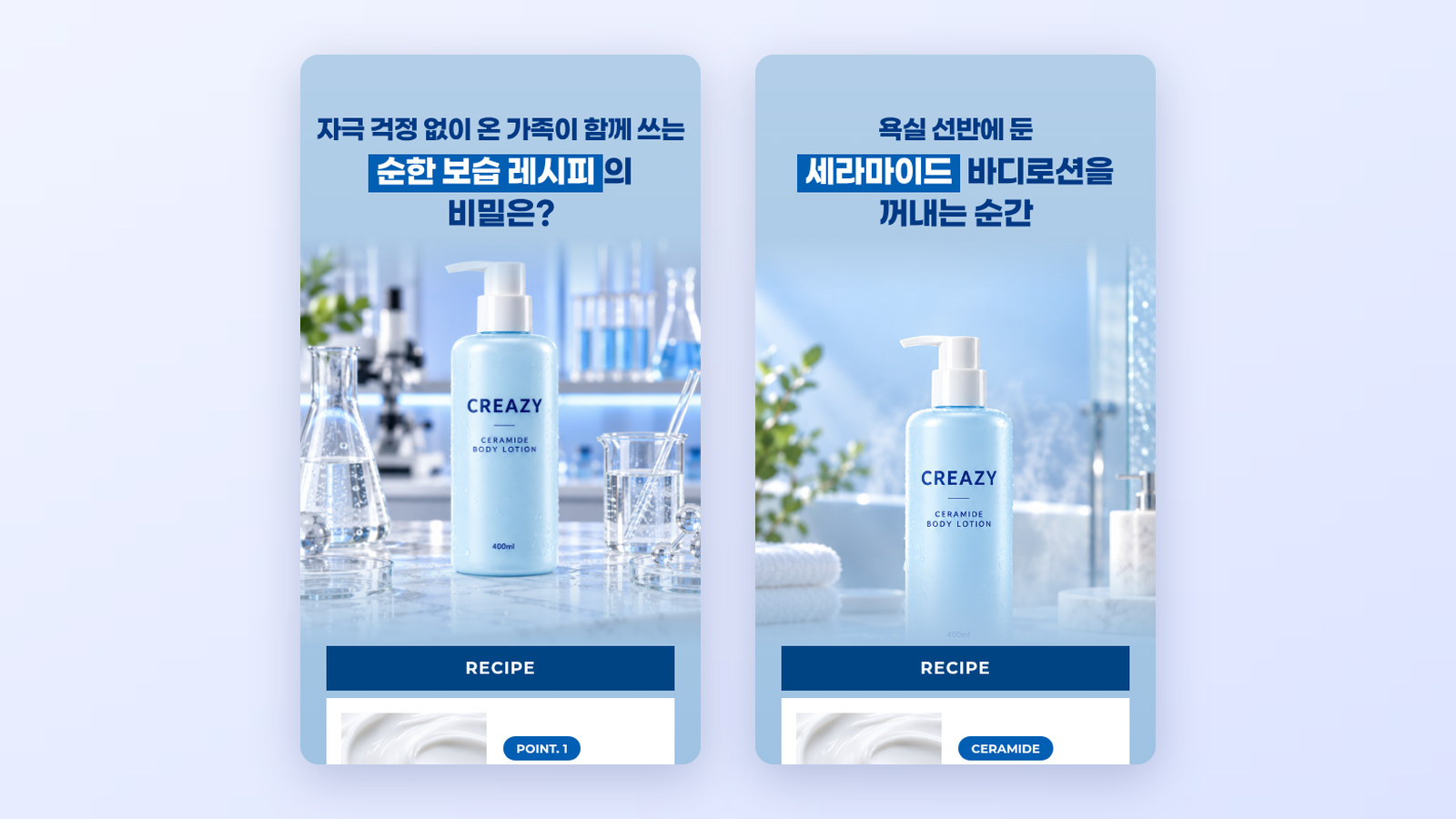
CreazyThe same Creazy section before (left) and after (right) a chat edit.
On paid plans, repeated AI chat revisions to text, design, and layout do not use credits. New image and video generation requires credits.
CreazyThe body lotion page after chat edits, from the first screen through the required product information.
MiriCanvas editor: Select elements and refine them yourself
In the MiriCanvas editor, you select photos, text, or elements to change them, then adjust their size and position. MiriCanvas Pro also includes AI tools. When there are changes in several places, gathering them in one chat request, as in Creazy, takes less effort.
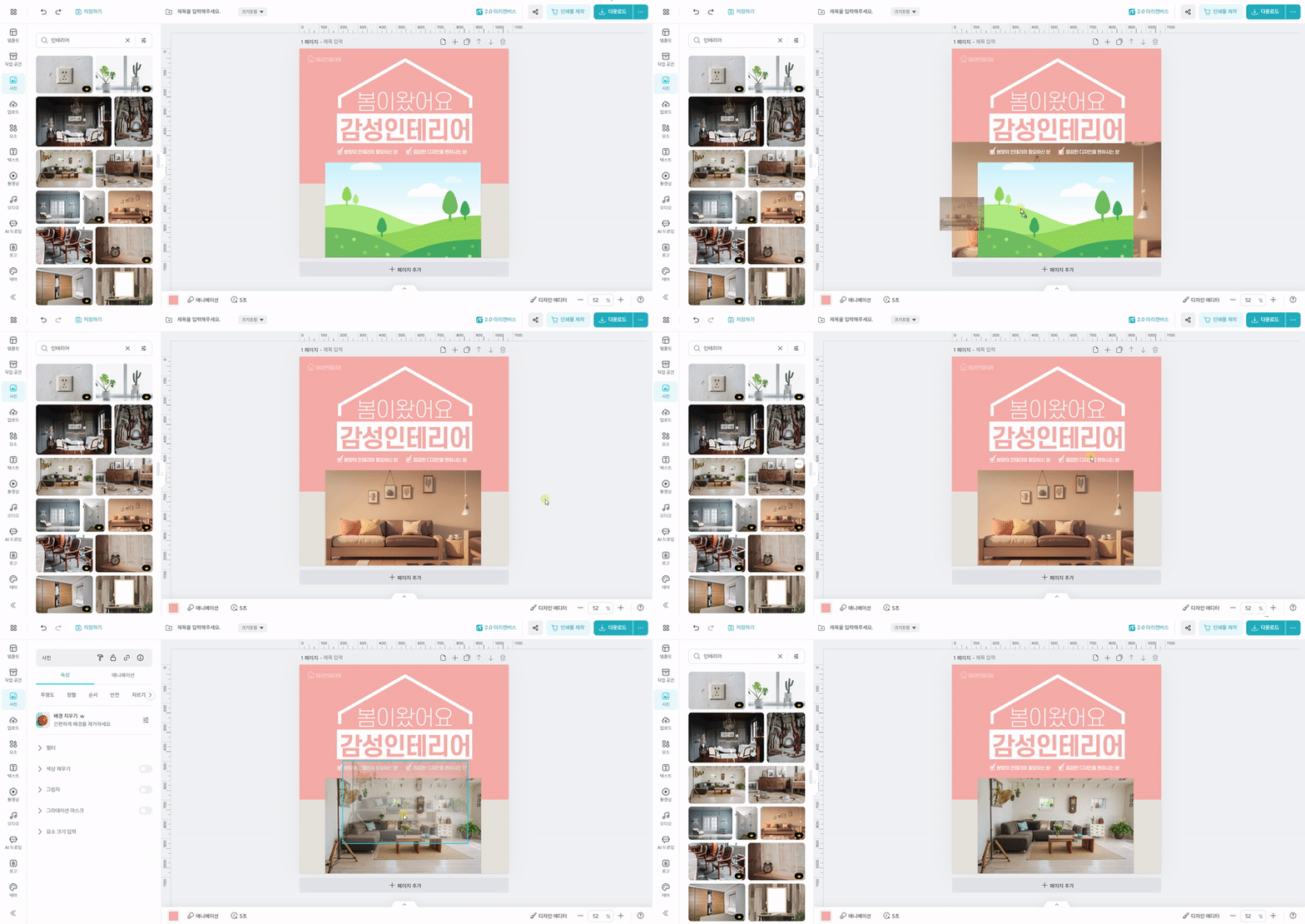
MiriCanvasOfficial tutorial example of placing and replacing a photo in a frame
6. MiriCanvas downloads vs Creazy export
In Creazy, choose a format based on how you plan to use the finished page.
- Images for marketplaces: Choose PNG or JPG and the width for your marketplace. Export animated sections as WebP or GIF.
- PSD for a designer: On paid plans, copy is included as text layers for further editing.
- Web address and Figma: Share a web-published address, or import the page into Figma with html.to.design to continue working. Check the selected plan for the scope of web publishing and HTML support.
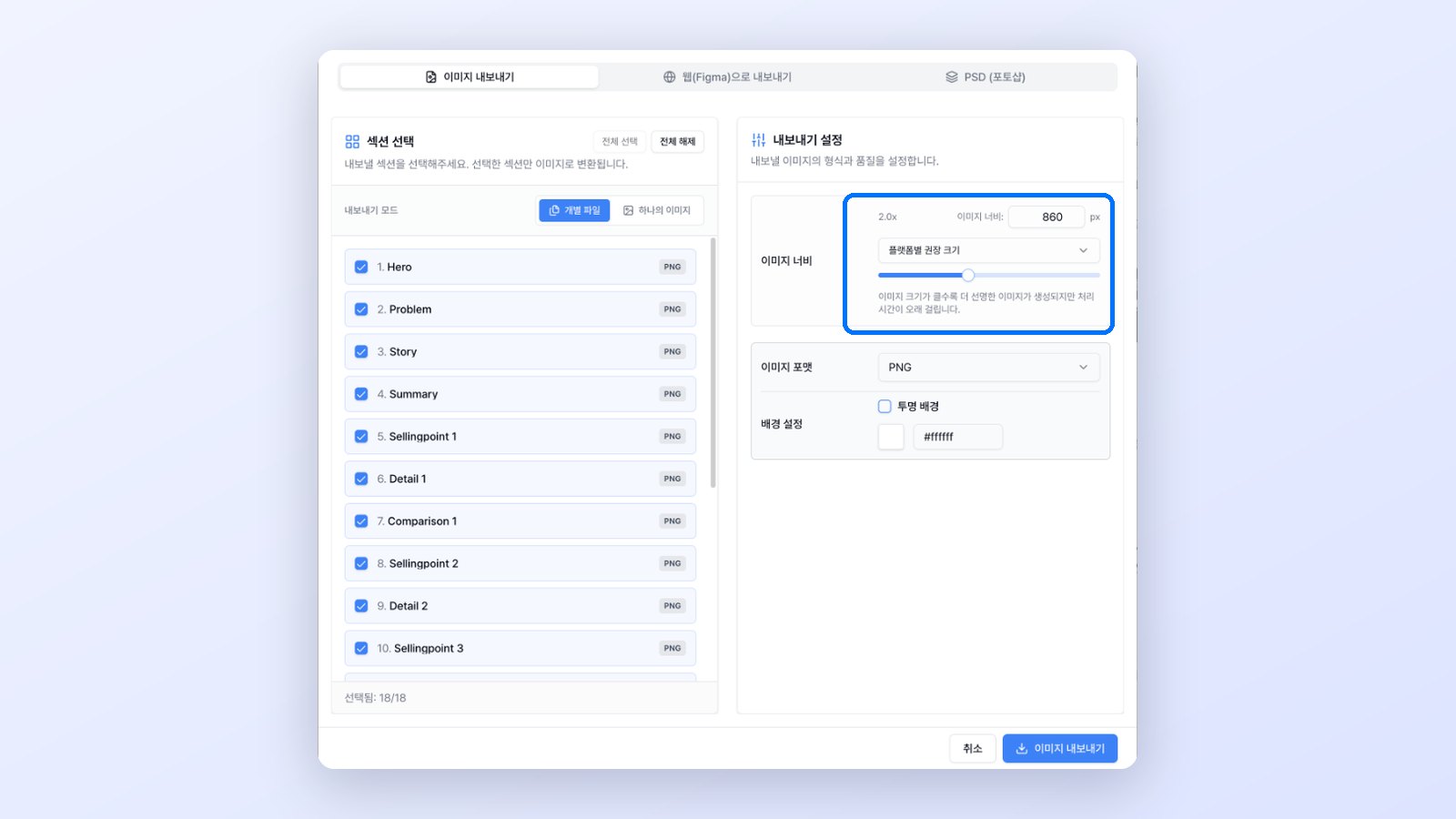
CreazyPick Image, Web (Figma) or PSD in one window and choose which sections to export
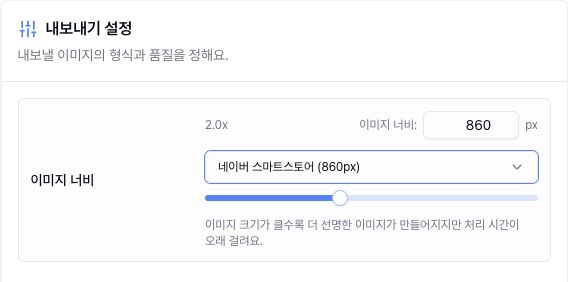
CreazySelecting a marketplace preset sets the image width
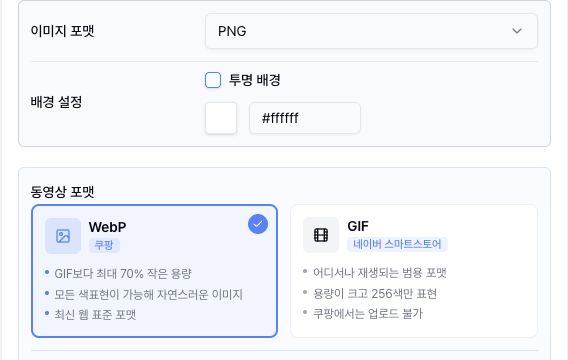
CreazyPNG, transparent background, WebP and GIF options shown up close
A MiriCanvas detail page downloads in supported formats such as PNG, JPG, PDF, PPTX, MP4, and GIF, and MiriCanvas does not support PSD downloads. Creazy can hand off a Photoshop file with the copy kept as text layers to your designer, and after the product page you can make thumbnails and Shorts (beta) from the same home screen.
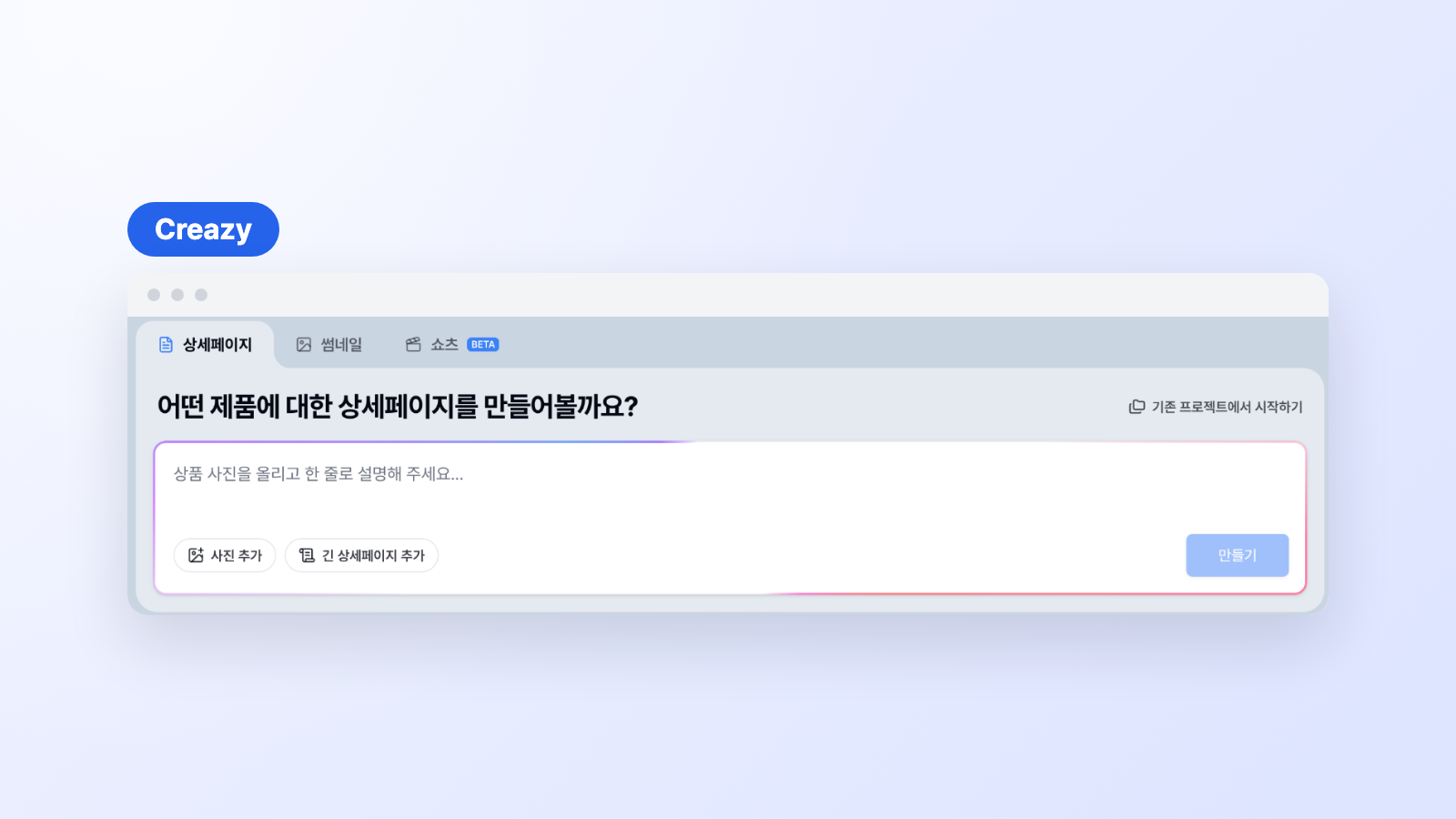
CreazyMake thumbnails and Shorts (beta) from the same home where you build detail pages
7. Sellers who may want to try Creazy first
- Sellers who spend a long time filling in MiriCanvas templates
- Sellers who want an AI draft instead of deciding the structure and copy from a blank page
- Sellers who want to revise in chat, from a single line of copy to section order
- Sellers who revise pages repeatedly for seasons or promotions
- Teams who want to continue the work with an image, PSD, or web address after finishing
8. What changes when you use Creazy instead of MiriCanvas
- Start from a draft of your product, not a blank template. Instead of choosing a MiriCanvas detail page template and filling in copy section by section, Creazy gives you a planning, copy, and design draft built from your product photos and description.
- Bundle element-by-element edits into one chat request. Ask for headline, overlapping-section, and section-order changes at once, and revise as often as you like during a subscription without using credits.
- Hand off as a Photoshop file or at marketplace widths. Get the PSD with text layers that MiriCanvas does not offer, and export at marketplace widths such as Naver Smart Store 860 and Coupang 780.
9. Frequently asked questions
Can I use MiriCanvas for free?
Yes. The MiriCanvas free plan is free forever and includes 50,000+ templates, 350,000+ photos and graphics, and 1GB of storage. Premium templates and AI tools come with MiriCanvas Pro (KRW 14,900 per month). Creazy also lets you create 2 product pages for free and export them, so compare both results with the same product photos and description.
What size should a MiriCanvas detail page be?
Detail page images are usually 860px wide, and in MiriCanvas you check the detail page template size or enter it yourself before downloading. If a marketplace needs a different width, you adjust the size separately. In Creazy, you pick a marketplace preset such as Naver Smart Store 860, Coupang 780, Gmarket, Ohouse, 11st, or SSG.com when exporting a project, or enter a width directly.
Can I make a detail page with MiriCanvas AI (Miricle)?
In Miricle's product detail page tool, you upload an image and choose the sections to create, such as a hero, reviews, or benefits, and they are generated section by section. Connecting the sections and refining the copy happens in the MiriCanvas editor. Creazy creates a full-page draft with connected structure, copy, and design from your product photos and description, and you request changes in chat.
What is the difference between MiriCanvas and Creazy?
MiriCanvas is a design tool for making many kinds of designs yourself with templates and design assets. Creazy is a service built for product detail pages: add product information, AI plans and designs the page, and after that you revise it in chat and deliver it as marketplace images, a PSD, or a web address. If you create and revise product pages often, Creazy takes more work off your hands.
Can I change copy in chat without editing it myself?
Yes. You can request a change to even one sentence in chat. Direct editing is optional. The free account includes 5 AI chat turns per project; AI chat revisions on paid plans do not use credits.
What should I check first when trying it out?
After creating a draft, change a headline, organize overlapping sections, and export a file. This lets you see which tasks Creazy can take off your hands across planning, revision, and delivery.
10. Wrap-up
Instead of filling in MiriCanvas templates one by one, get a draft for your product, request changes in chat, and receive the finished file. Creazy connects the work of starting the planning, copy, and design with the repeated revisions that come after creating the page.
You can export product detail pages made for free, so start with your own product.

Related comparisons
- Mangoboard vs Creazy: AI Detail Page Comparison
- Draph Art vs Creazy: AI Detail Page Comparison
- Hookable vs Creazy: AI Detail Page Comparison
- Comparing AI Product Detail Page Tools in 2026: How Draph Art, Creazy, Gabia AI Editor, and Hookable Differ
- Comparing 7 AI Tools That Help You Create Product Detail Pages in 2026