Best Programs for Making Product Detail Pages: Photoshop, Canva, or AI?
Product detail page software falls into three types: pro design tools (Photoshop, Figma), template tools (Canva, Miri Canvas, Mango Board) and AI generators. See which fits your situation and 5 things to check before choosing.

In a nutshell
- 1. What types of detail page software are there? Pro design tools (Photoshop, Figma), template tools (Canva, Miri Canvas, Mango Board) and AI generators ↓
- 4. What is different about AI detail page software? The real difference is who has to write the plan and the copy. An AI generator builds a first draft from your product information ↓
- 5. Which program fits my situation? A table matches each program to a situation ↓
- 6. 5 things to check before choosing a program A 5-point checklist covers what to confirm before you choose ↓
If you have ever opened Photoshop and frozen at the first section, the cause is often not a lack of design skill. It is that you opened the program before deciding what the first screen should say. A detail page needs a plan and copy before it needs design. Some programs draft that plan and copy for you, and others give you design tools only.
Sorting by that difference makes the choice much simpler. Below, programs are split into three types, with the kind of seller each one suits. Prices and features follow each service's official pages, and the dates I checked them are listed under References at the bottom.
1. What types of detail page software are there?
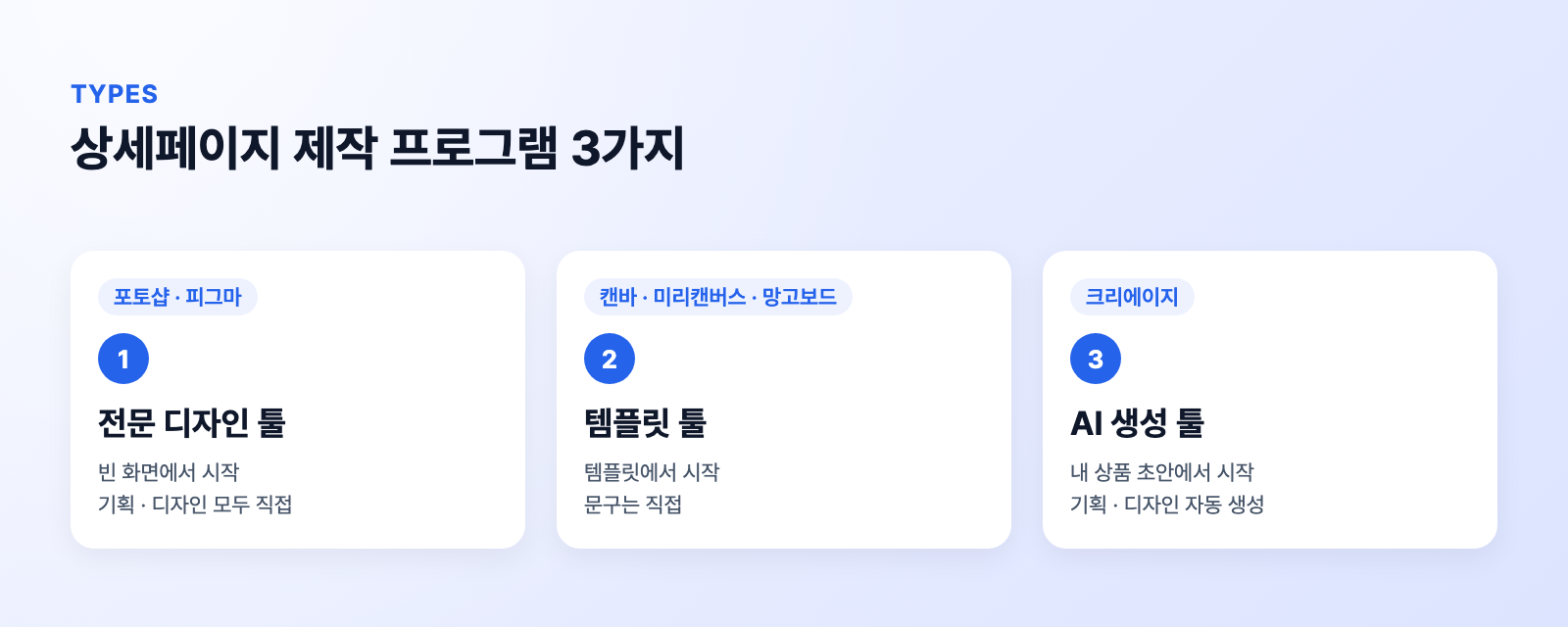
| Type | Examples | Plan and copy | Design | Time to first page |
|---|---|---|---|---|
| Pro design tool | Photoshop, Figma | Write it yourself | Design it yourself | Longest |
| Template tool | Canva, Miri Canvas | Write it yourself | Template | Medium |
| AI generator | Creazy | Generated | Generated | Shortest |
All three end with one long vertical image for your marketplace. The difference is whether you start from a blank screen, from someone else's template, or from a draft built around your own product.
2. Who are Photoshop and Figma right for?
Photoshop and Figma are programs where you draw and place every element yourself. You control letter spacing, photo retouching and section length, so they are closest to how a designer works.
In return, the seller has to decide the plan, layout, copy and photo placement. Even if you know the tools, building one page from scratch takes a fair amount of time. Photoshop is sold by monthly subscription. Figma has a free Starter plan, and the paid Professional plan is listed on its pricing page at USD 16 per month for a Full seat.
- Good fit: you have design experience and need to match your brand tone closely
- Weak fit: you have many products and no time to build each page from zero
3. How far do Canva, Miri Canvas and Mango Board go?
Template tools let you pick a template in the browser and swap in your own text and photos. In Mango Board, you enter a topic in a chat window and an AI designer drafts a slide outline.
A template fixes the layout, but the seller still decides which templates to use, in what order, and what the copy says. Rewriting the sample text into your own product's story is where most of the time goes.
- Canva: Free plan: Yes · Paid plan: Pro KRW 99,000 per year
- Miri Canvas: Free plan: Yes · Paid plan: Pro KRW 160,800 per year (KRW 13,400 per month)
- Mango Board: Free plan: Yes · Paid plan: Standard KRW 29,000 per month
Mango Board's Pro plan is KRW 49,000 per month, and free use adds a watermark to paid elements.
- Good fit: you already know what the page should say and just need a design frame fast
- Weak fit: you do not yet know what to say or in what order
4. What is different about AI detail page software?
An AI generator takes your product photo and information and first produces a draft with section order, copy, images and design. Instead of facing a blank screen, you look at a finished draft and pick only what to change.
Creazy also contains many templates and design references. The difference from template tools is that the seller does not pick a template. Creazy first analyzes your product information and builds a plan that follows the marketing structure of detail pages that sell, covering what to say and in what order. It then automatically references and combines its stored data, templates and design references to make a design that fits that plan. Where a template tool hands you a design frame, Creazy hands you a draft from plan to design.
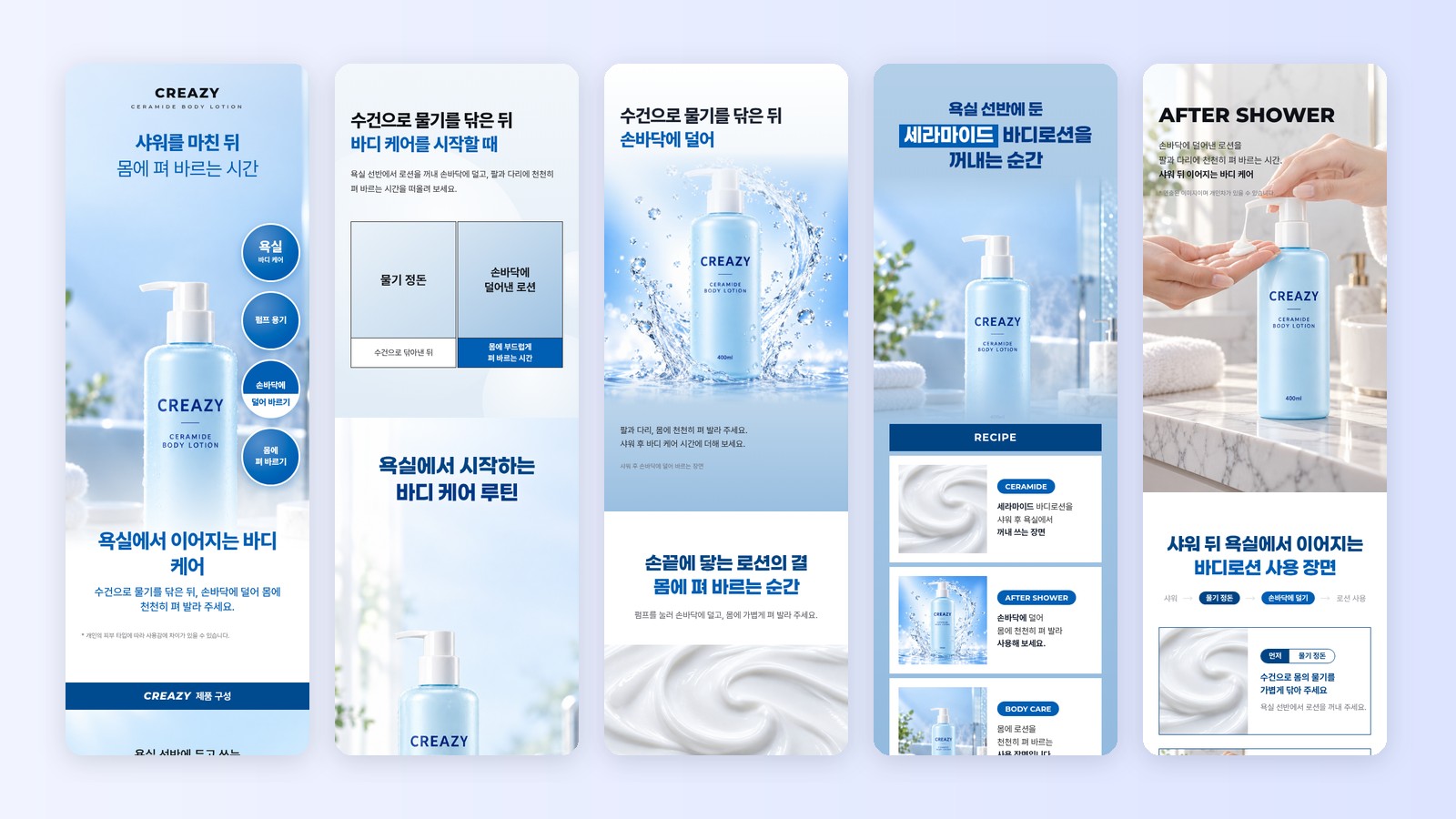
CreazyA body lotion detail page draft made with Creazy
Creazy makes both the plan and the design of a detail page from one product photo and its information in 3 minutes. To edit, you click text and change it directly, or use chat with a request like "make the second section's copy shorter".

CreazyA detail page scrolled on a phone, and the same page split into 2 halves
You can also finish an AI draft in Photoshop or Figma. Creazy can export a Photoshop file with live text layers, and a page published to a web address can be imported into Figma. Get the draft fast with AI, then do the fine finishing in a program you know.
CreazyChoosing PSD (Photoshop) or Figma in the export window
There are other AI detail page services besides Creazy, and their features and prices differ. Pros and cons for each are in 2026 AI Product Detail Page Tools: Pros and Cons of 12.
- Good fit: you have many products, or you do not know where to start with the plan and copy
- Weak fit: you want to draw every element yourself from scratch
5. Which program fits my situation?
| My situation | Best fit |
|---|---|
| I need to match my brand tone closely | Photoshop, Figma |
| I know the content and only need a frame | Canva, Miri Canvas |
| I do not know where to start with plan and copy | AI generator |
| I have many products and make several pages every month | AI generator |
| I want a fast draft and to finish it myself | AI generator + Photoshop |
| I want to try first without spending money | The free plan of each tool |
To start free, Canva, Miri Canvas and Figma have free plans, and Creazy lets you make 2 detail pages free when you sign up.
You do not have to pick just one. You can get the plan and draft from AI, then polish only the brand-critical sections in a design program.
6. 5 things to check before choosing a program
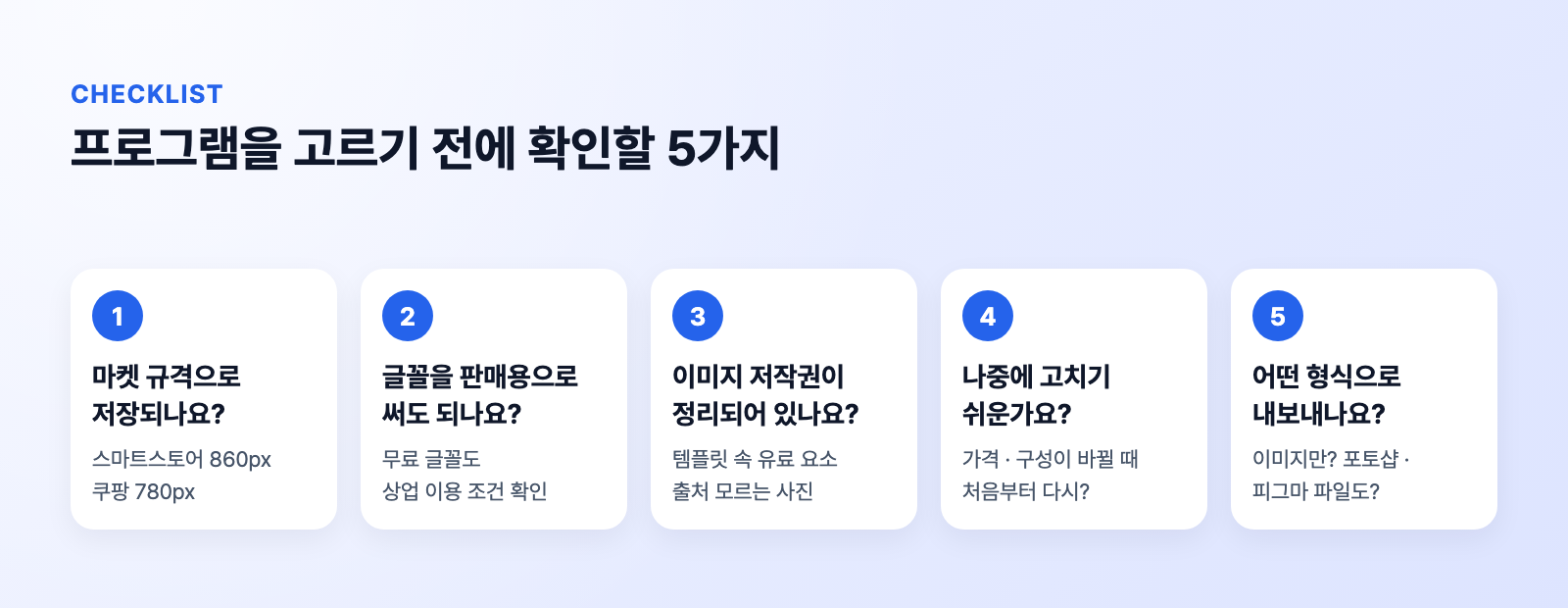
📐 Does it save at marketplace widths?
Smartstore pages are 860px wide and Coupang pages 780px. Check that the tool saves at these widths directly.
🔤 Can you use the fonts commercially?
Even free fonts come with commercial-use terms. Check the font license before using it on a sales page.
🖼️ Are the image rights safe?
Paid elements inside a template and photos of unknown origin can cause copyright problems.
✏️ Is it easy to edit later?
Rebuilding the page every time a price or bundle changes takes a lot of time. Check that you can edit just the part that changed.
📤 What formats can you export?
Check whether you only get images, or Photoshop and Figma files too.
Creazy's image export includes marketplace widths such as Smartstore (860px) and Coupang (780px), and an edited page can be exported again as images, Photoshop or a web address. You can make 2 detail pages free when you sign up, so put the result next to what you use now and compare.
Related reading
- 2026 AI Product Detail Page Tools: Pros and Cons of 12
- How to Make a Product Detail Page with AI: One Photo Is All You Need
- Product Detail Page Price List: How Much Is Enough for One Page?
References
- Canva pricing (checked Nov 17, 2026) · Miri Canvas pricing · Mango Board pricing (checked Nov 17, 2026) · Figma pricing (checked Nov 17, 2026)
- Creazy export guide · AI chat guide